Step 1: Open the Integrations Tab
Go to the Integrations tab in the Spidra dashboard and click the Add integration button.
Step 2: Choose Integration Type
From the preset dropdown, select the preset you want to connect. Then, choose Webhook as your destination and click Next to continue.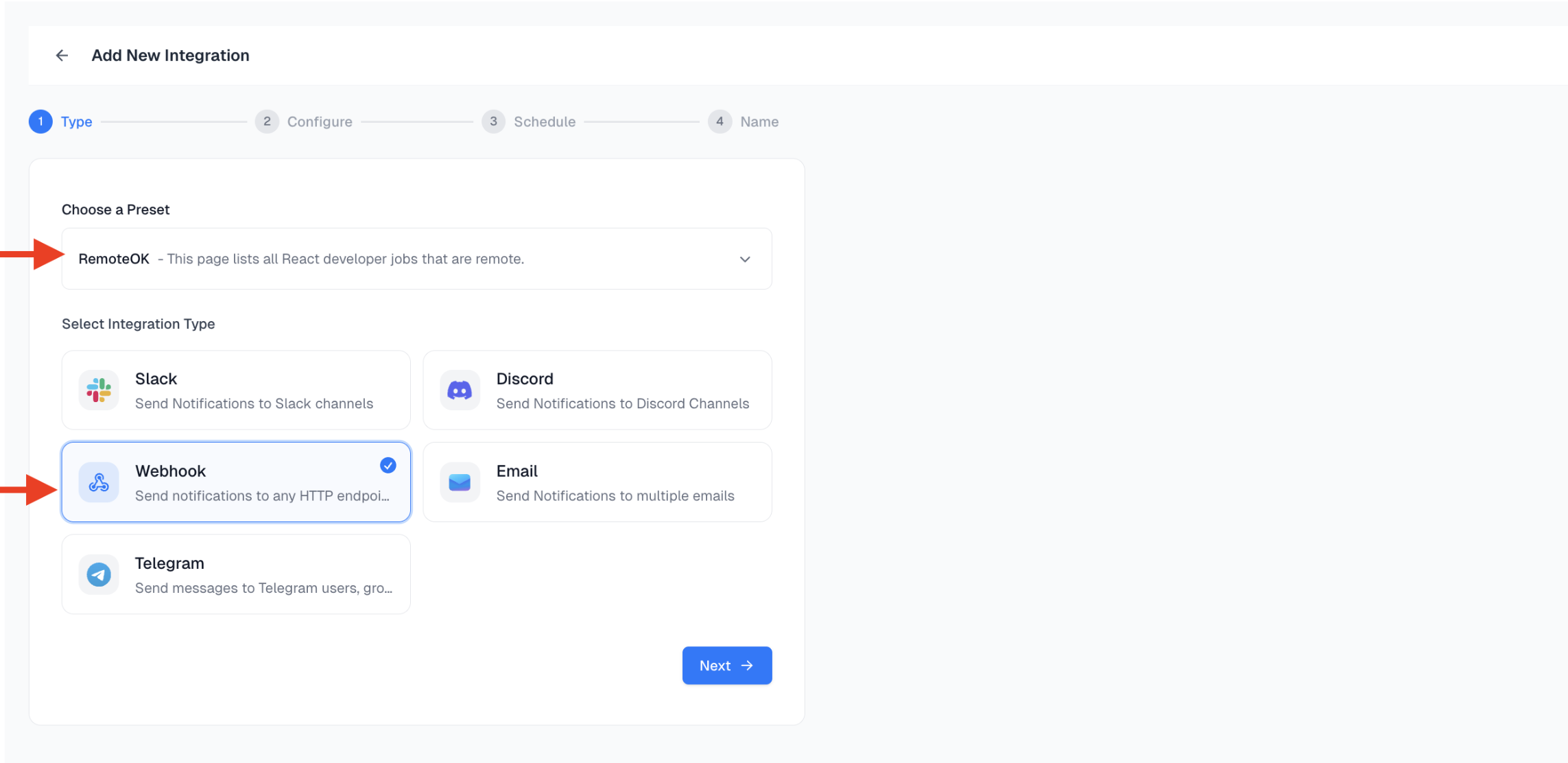
Step 3: Configure Webhook Endpoint
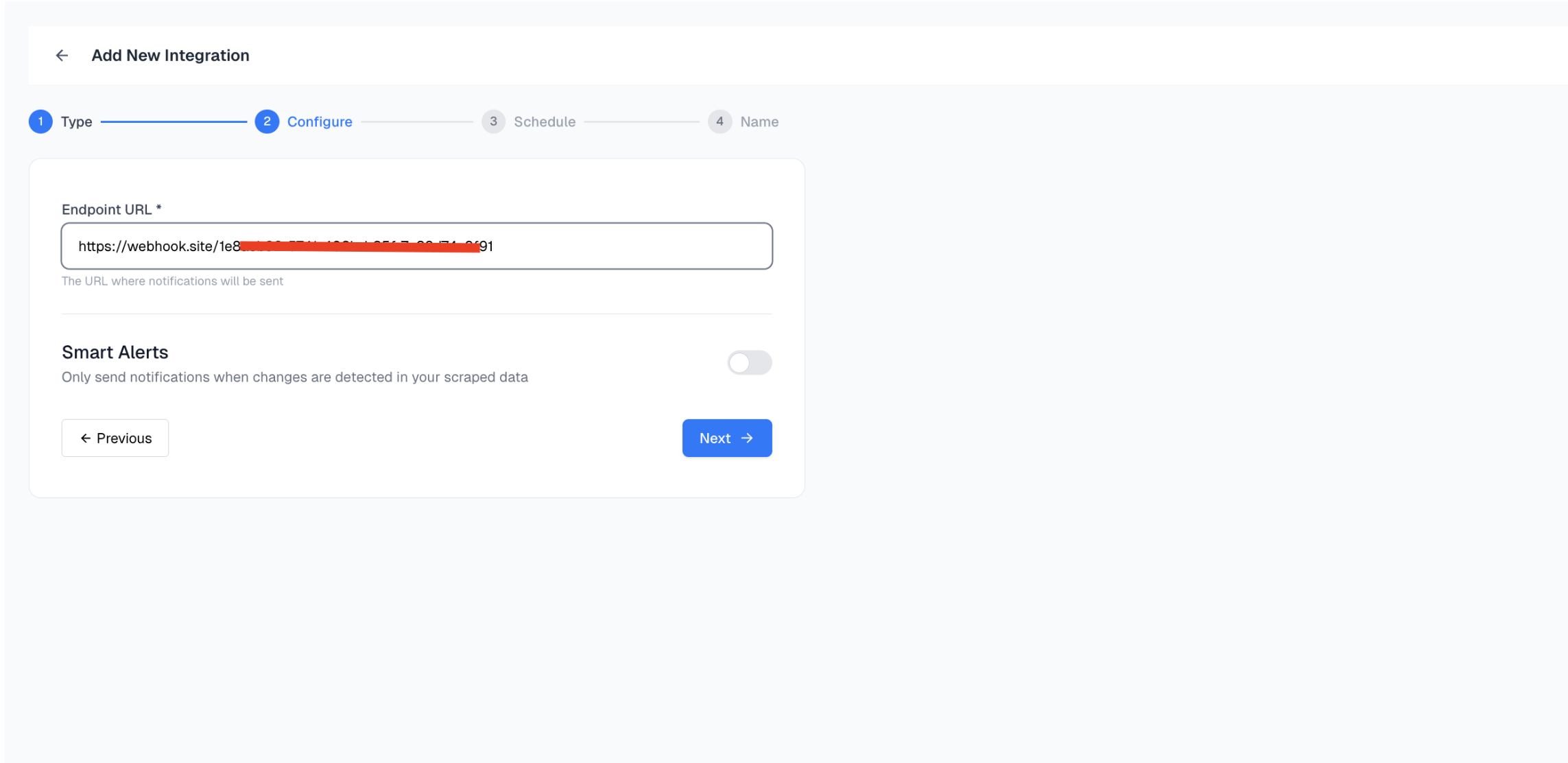
Paste your Webhook Endpoint URL into the configuration field. This is where Spidra will send the scraped data. We recommend using Webhook.site for testing purposes. It instantly provides you with a unique temporary URL that displays incoming requests in real time.How to Get a Test Webhook URL:
- Open https://webhook.site
- Copy the unique URL provided at the top of the page.
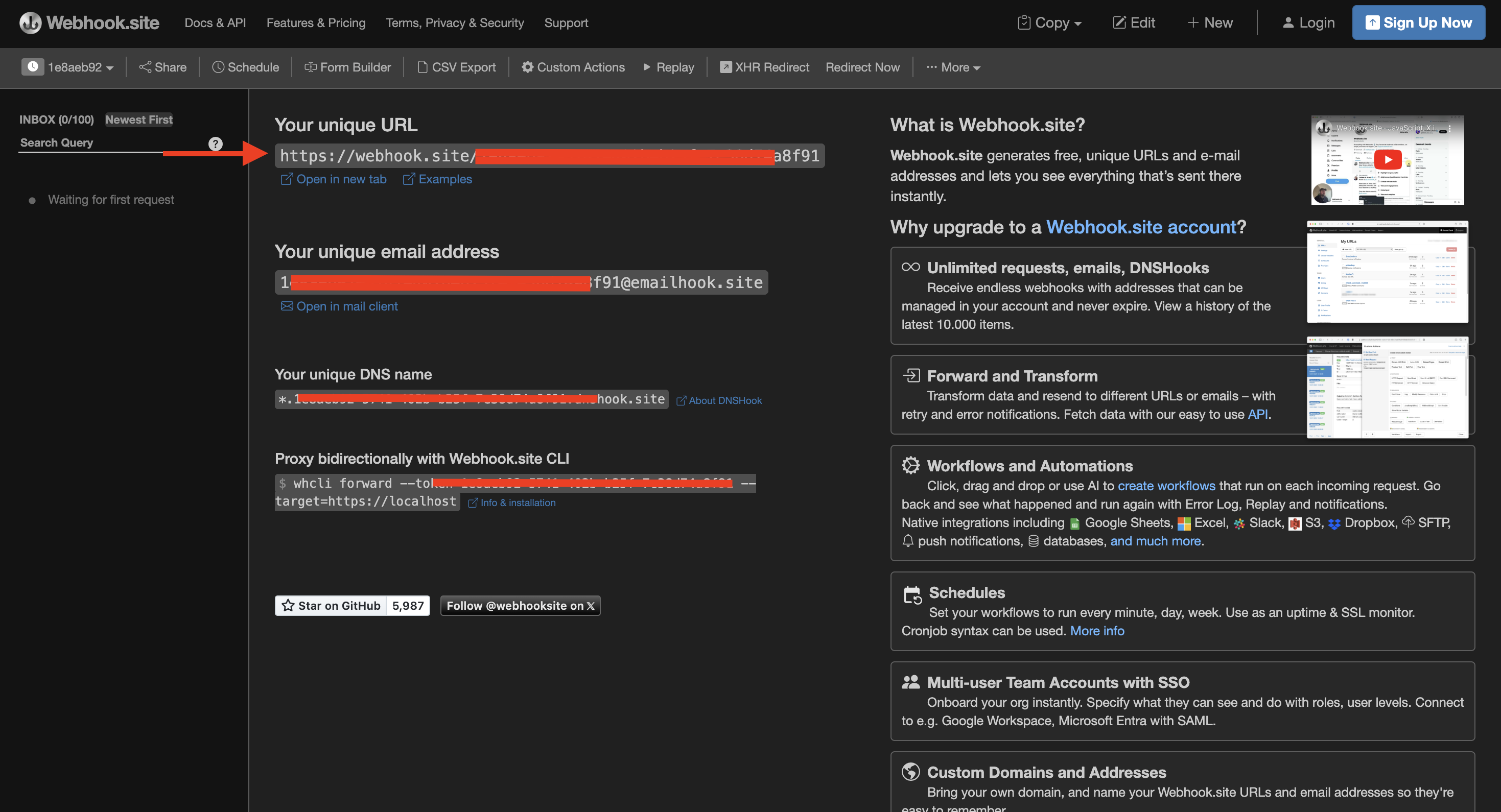
- Paste this URL into Spidra’s Webhook input field.
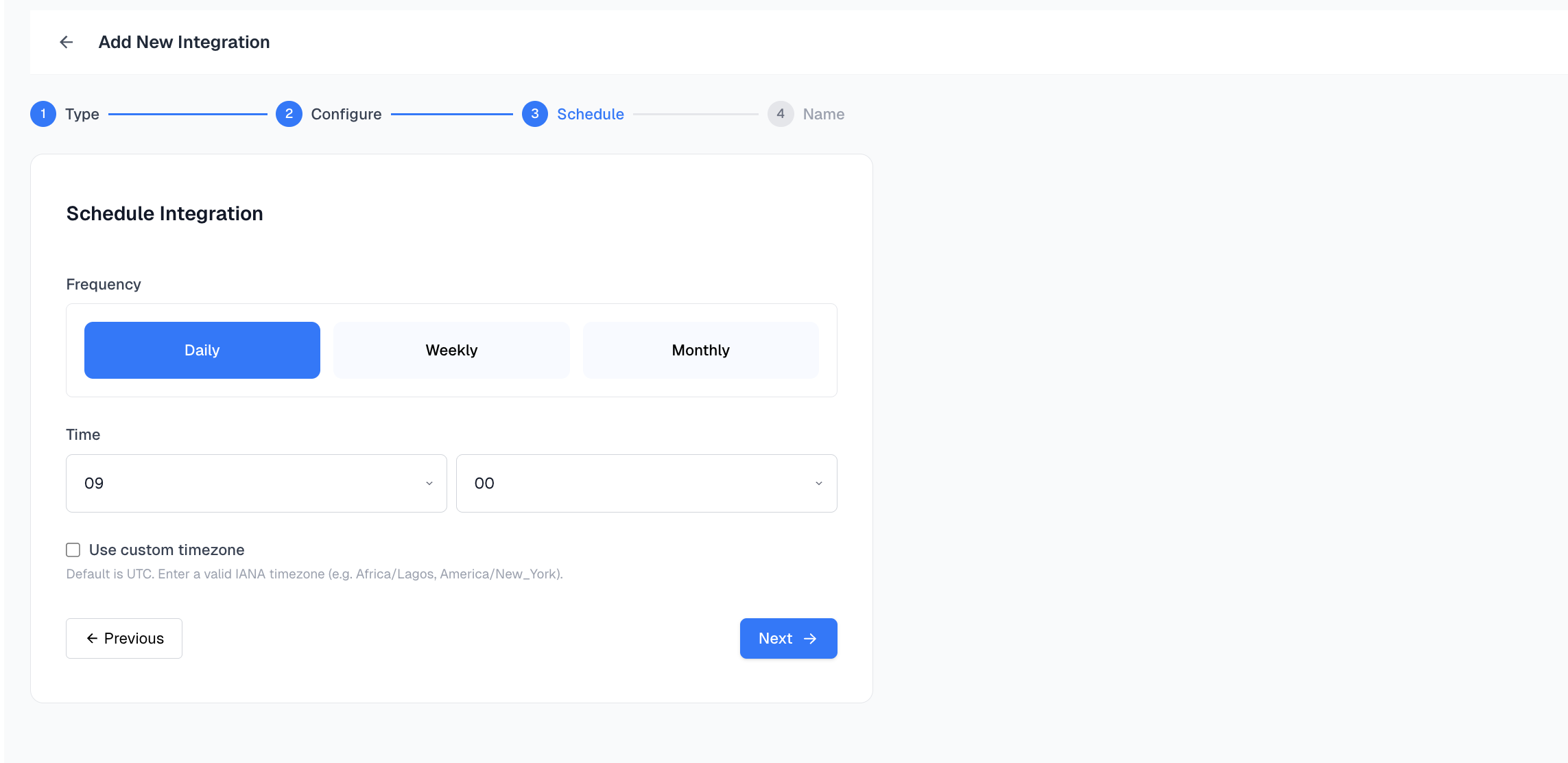
Step 4: Schedule the Integration
Set how often you want this webhook to run:- Daily
- Weekly
- Monthly
Africa/Lagos or America/New_York.
Step 5: Name Your Integration
Give your integration a descriptive name, this helps you identify it later in your integration list.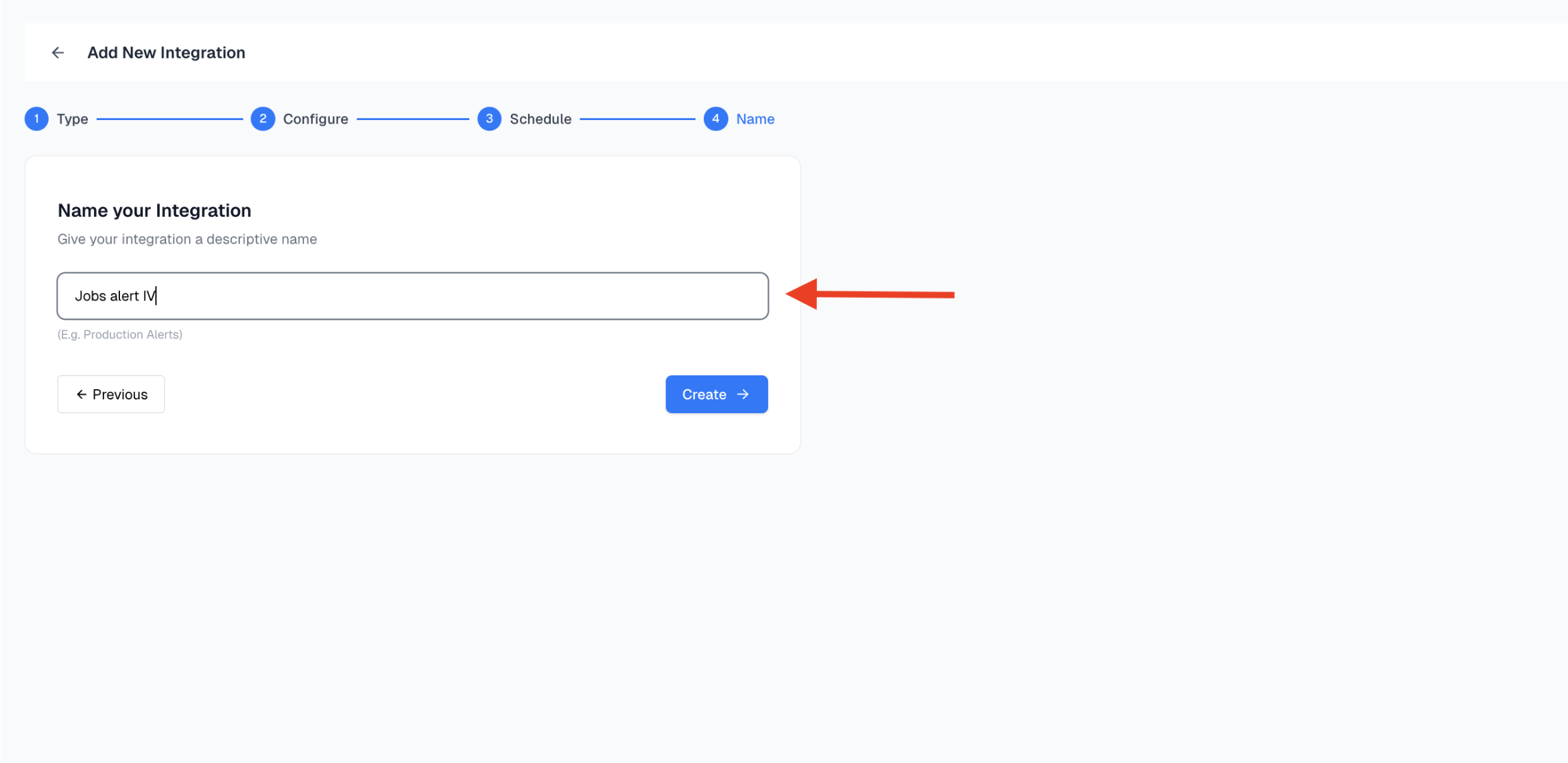
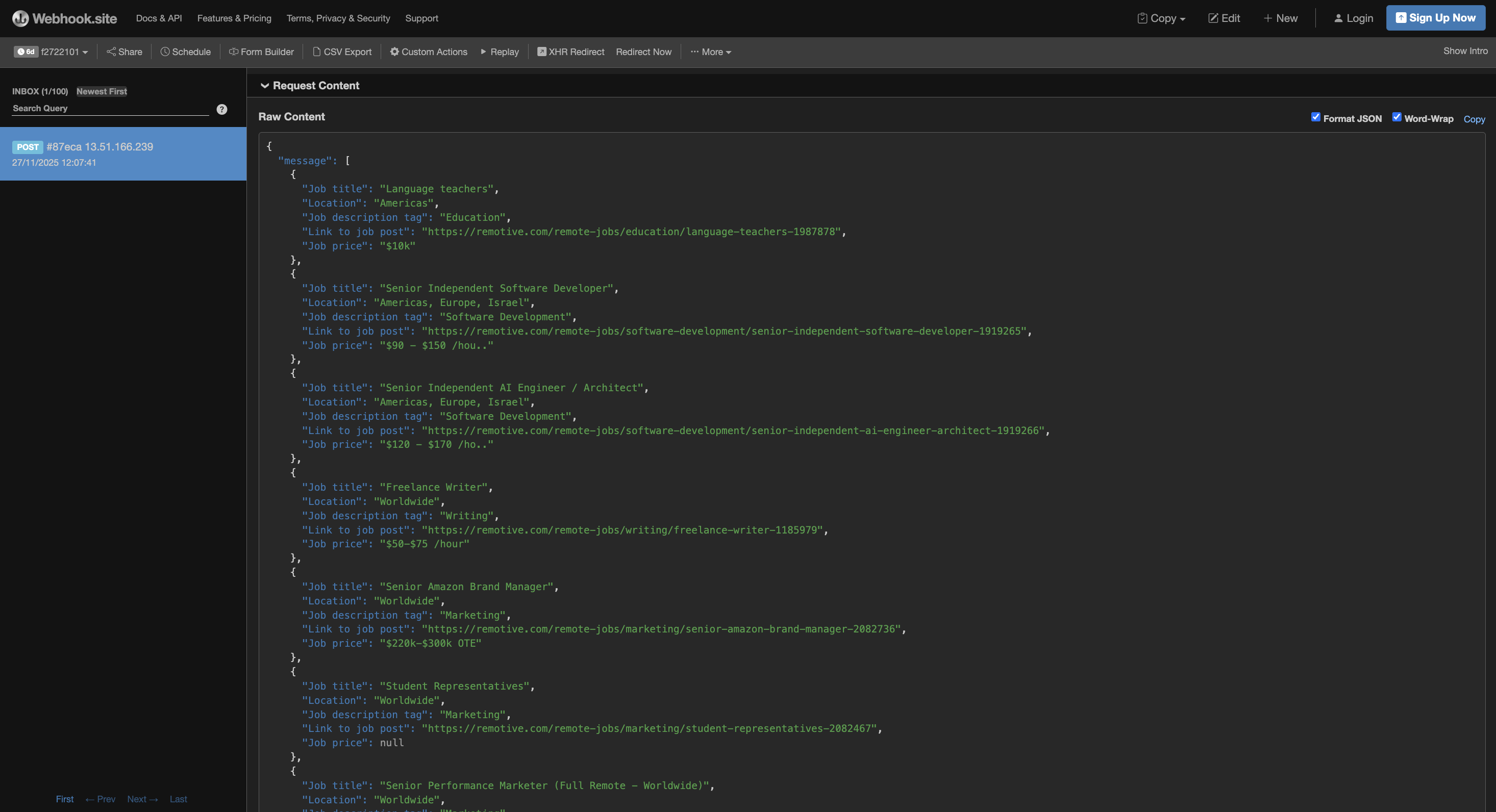
Step 6: View Incoming Payload on Webhook.site
Once your scheduled time arrives, navigate to Webhook.site. You’ll see the incoming request appear on the page with the full payload. This confirms your integration is working!