

The form, control by control
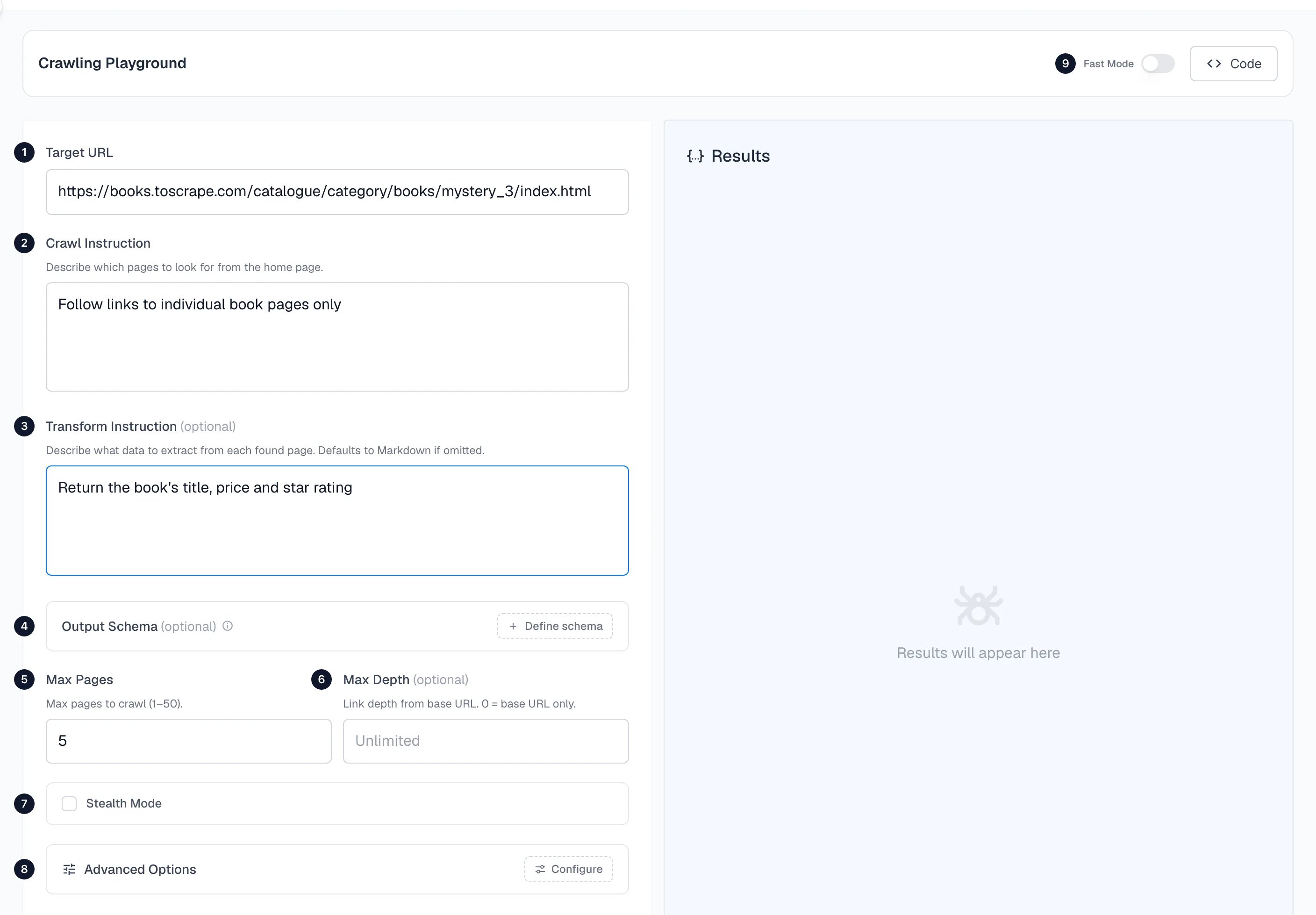
1. Target URL
Where the crawl starts. Spidra loads this page first and follows links from it. Choose an index, category or listing page, because it links to the pages you want. For this example:2. Crawl instruction
Describe in plain language which pages to visit.3. Transform instruction (optional)
Describe what to extract from each page, in the same way as a scrape prompt. Every page gets the same instruction. Leave it empty and Spidra returns each page as markdown without using AI.4. Output schema (optional)
A JSON Schema that every page’s result must follow. Use it when you load the results into a database.5. Max pages
How many pages to visit, from 1 to 50. The default is 5. Start with 3 to 5 so you can check your instructions, then raise it.6. Max depth (optional)
How many links away from the starting page the crawl may go.0 is the starting page only and 1 adds the pages it links to. Leave it empty for no limit.
7. Stealth Mode
Routes the crawl through a residential proxy, as in the Scrape playground. See Stealth Mode.8. Advanced options
Configure opens path filters, crawl behavior and authentication.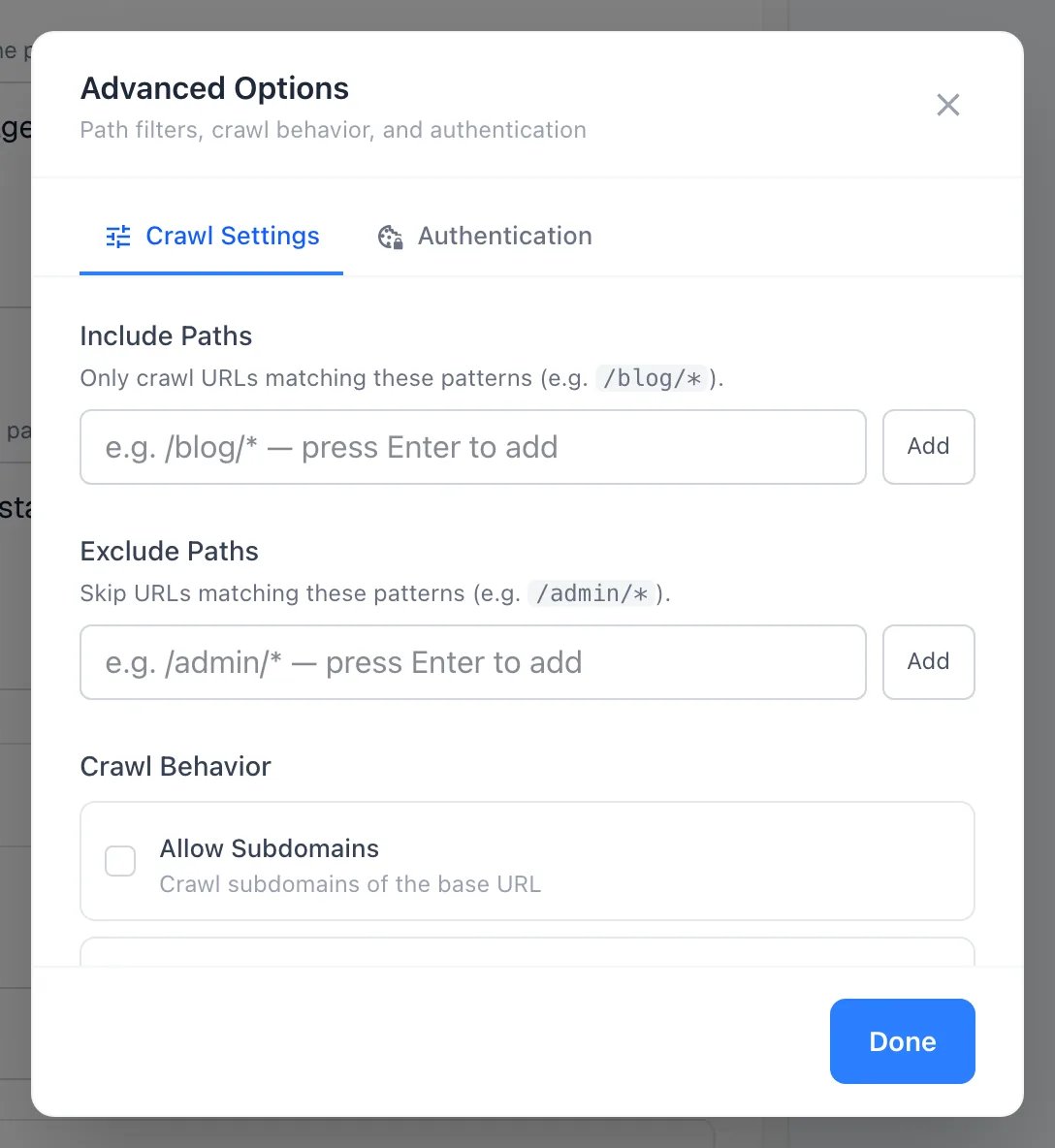
- Include paths. Only URLs matching one of these patterns are crawled, for example
/blog/*. - Exclude paths. URLs matching any of these are skipped, for example
/tag/*. Include is applied first, then exclude. - Allow subdomains. Also follow links to subdomains, such as
docs.example.comfromexample.com. - Crawl entire domain. Follow any link on the same root domain, whatever the starting path. Pair it with path filters.
- Ignore query parameters. Treat URLs that differ only by query string as one page.
- Authentication. Pass session cookies to crawl pages behind a login. See Authenticated scraping.
A path pattern matches anywhere in the URL, not only at the start.
/books/* can match /catalogue/category/books/mystery_3/. Make patterns specific enough to avoid surprises.9. Fast Mode
Fetches pages over plain HTTP instead of a browser, which is quicker on static sites. See Fast Mode in the Scrape playground.What comes back
A crawl returns one entry per page. Here is a real crawl of 3 pages with a schema fortitle, price and in_stock:
html and markdown for the page. Three things in this result are worth understanding, because you will see them in your own crawls.
The starting page is a result too. The first entry is the category page, not a book. A schema describes one object per page, so it returned only the first book on a page that lists many. To pull a list from a listing page, make the schema an object with an array property, such as books, and describe each item inside it.
Some pages return {}. The second page is a real book, yet its data is empty. The page itself loaded (status is success). Extraction came back with nothing, and a second attempt can fill it. You can retry individual pages without crawling again, as described below.
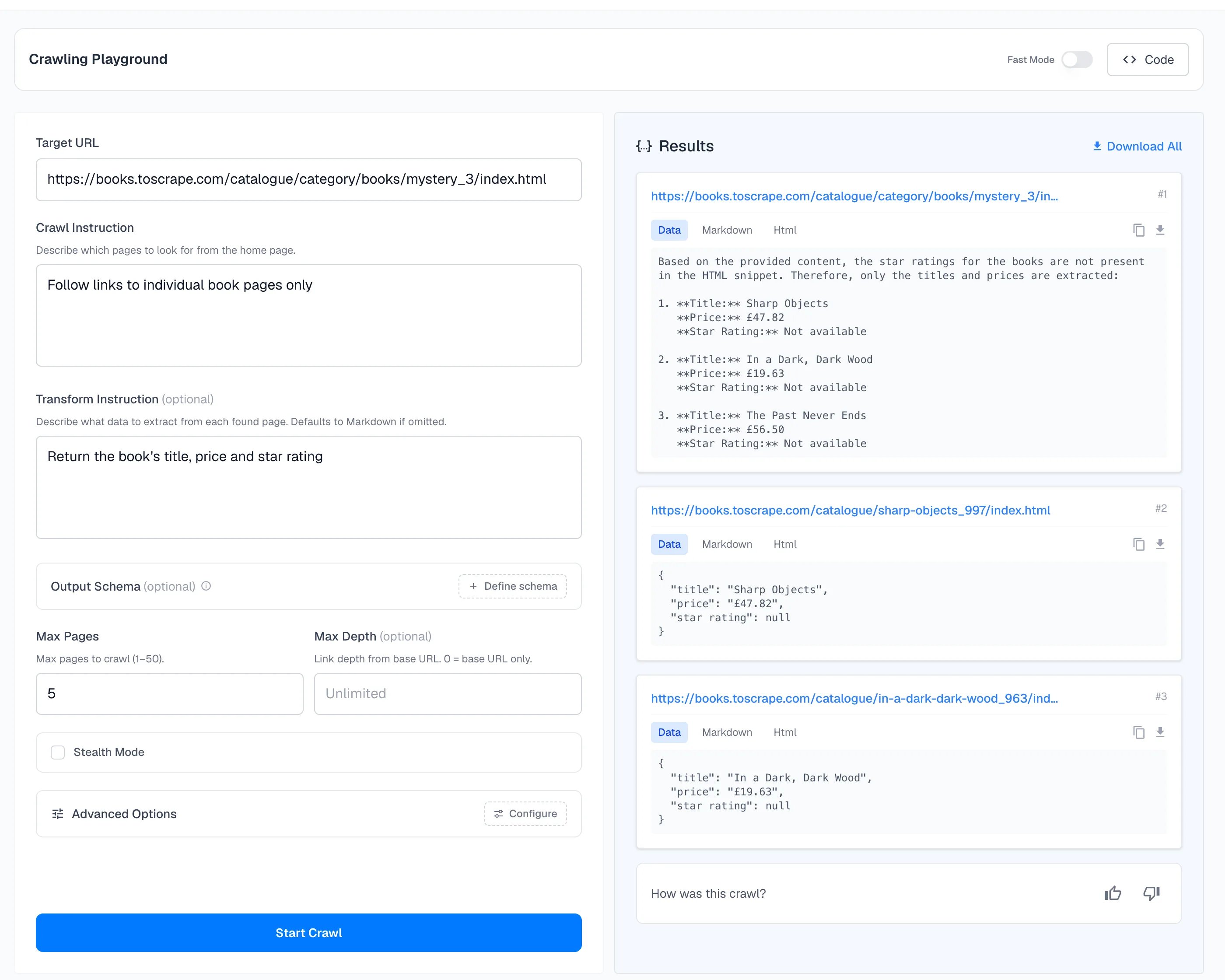
Without a schema, the shape can vary. Running the same crawl with only the instruction Return the book's title, price and star rating gave a sentence of text for the first page and an object for the next two:
null is because the star rating isn’t in the page’s text. If you need consistent fields, use a schema. The price there is a string with its currency symbol, while the schema run above returned a number.
What a crawl costs
Each page visited costs 1 credit, plus credits for the AI tokens used on that page, plus 5 for every CAPTCHA solved. A crawl with no transform instruction and no schema uses no tokens, so it is 1 credit per page. A failed crawl costs nothing. See How credits work.Tips
- Start with 3 to 5 pages. Check the instructions on a small crawl before scaling up.
- Be specific.
Blog posts published in 2024works better thaneverything. - Use path filters for a firm boundary and the crawl instruction for the rest.
- Choose a listing page as the start, not a single article.
- Use a schema when the output feeds a program.
Crawl with code
The same crawl through the API:crawl() waits for the job to finish. For long crawls, startCrawl() returns the jobId immediately and getCrawl() checks on it later. The crawl endpoint reference lists every parameter.
The Code button at the top right of the playground generates this request for whatever you have filled in.
Webhook
Provide a webhook URL to receive a POST request each time a page finishes processing. This lets you stream results into your own pipeline as they come in, rather than waiting for the whole job to complete.After the crawl
- CAPTCHA solving. Supported CAPTCHAs are solved during the crawl, at 5 credits each.
- Download results. After a crawl completes, download all extracted data as a ZIP file containing the extracted content, raw markdown, and original HTML snapshots for each page.
- Retry failed pages. If extraction fails on specific pages, retry them individually without re-crawling the whole site.
Extract from Crawl
After a crawl finishes, you can run a new extraction on the same pages without visiting the site again. Spidra reuses the HTML and markdown saved during the original crawl and runs your new prompt against it. This is useful when:- You want to pull different fields from pages you already crawled
- Your first extraction prompt wasn’t quite right
- You need the same pages in two different formats
POST to /crawl/{jobId}/extract with a new transformInstruction. You’ll get back a new jobId to poll.
Extract from Crawl API Reference
Full API reference for the extract endpoint
Structured output
Write schemas that keep every page’s result the same
Logs
Reopen any crawl and see its credits