

Quick example
Parse the first 3 pages of a PDF from a link:202 with a jobId; poll GET /parse/{jobId}. The SDKs wait for you.
Three ways to send a document
- A link:
{ "url": "https://..." }. - An upload:
multipart/form-datawith afilepart (up to 50 MB) and an optionaloptionspart holding the other options as a JSON string. - A
fileIdfrom an earlier parse or estimate: parse the same file again (other pages, another prompt) without sending it. Files are kept for 24 hours.
See the cost first
Add"dryRun": true to get the page count and credits without parsing or charging anything:
fileId, without fetching it again:
Extract fields as JSON
Add aprompt, a schema, or both:
json, next to the Markdown:
json can come back as text.
Options
With
includePages:
Many documents
POST /parse/batch takes up to 50 documents at once, mixing uploads, links and fileIds. Each becomes its own job, and one that fails doesn’t stop the others.Cost
1 credit per page parsed, including pages read with AI. Formats other than PDF count one page per 3,000 characters of output. Extraction adds AI credits. Estimates, pages that can’t be read, documents that fail, status checks and deletes are free.Privacy
Files are kept for 24 hours so you can parse them again, then deleted. Delete one sooner with DELETE /parse/files/{fileId}.Limits
- 50 MB per upload, 500 MB with a prepared upload.
- 2,000 pages per document per request.
- 50 documents per batch, 60 parse requests a minute.
In the dashboard
Open Parse in the sidebar, drop files or paste links, and each one shows its pages and credits before anything runs. Choose How to read pages (Auto, Text only or Every page), Pages, and What to extract (with Use a schema). Results have Markdown, Pages and JSON tabs, with copy and download.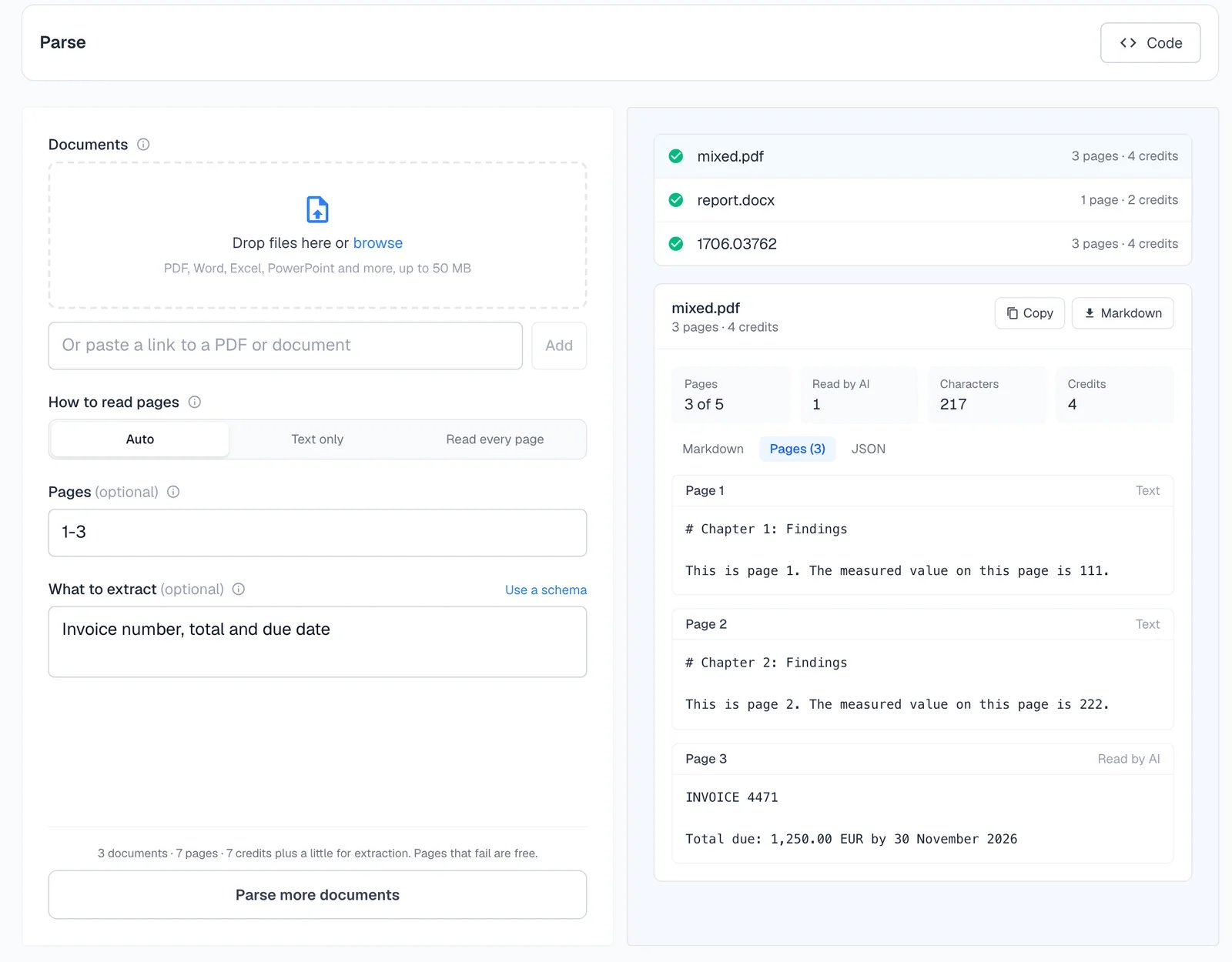
Parse or scrape?
Scrape also turns a document link into Markdown. Use Parse for uploads, page ranges, per-page output, a cost estimate first, many documents, or files over 50 MB. Use Scrape when the document is one link among web pages you’re already scraping.Next
Turn a folder of PDFs into JSON
A complete script.
Map
Find a site’s PDFs to parse.
Structured output
Schemas for exact fields.
API reference
Every field and response.