

Quick example
Find the pages aboutasyncio in the Python docs:
What you get back
links: the URLs, best matches first when you search.titleis the link text the URL was found with; URLs found only in the sitemap have no title.total: how many URLs matched the search (every URL found, without a search).scanned: every URL found before the search filter. It moves a little between runs.sources: how many came from the sitemap and how many from page links.message: present when nothing was found, saying why.
Options
How Map finds URLs
- The sitemap: the
Sitemaplines in robots.txt, then/sitemap.xmland/sitemap_index.xml, following sitemap indexes and gzipped sitemaps. - The start page’s links, with their text.
- More pages: up to 40 more pages for links the start page doesn’t show (12 when the sitemap already lists 1,000 or more URLs). With a
search, pages about your search are read first; without one, index and section pages first.
includeSubdomains), duplicates and action links such as “log out” are dropped, and current pages come before other versions and translations of them.
Map finds what’s in the sitemap or linked from pages. A page with neither won’t appear.
Cost
1 credit per map, however many URLs it returns. A map that finds nothing is free:Tips
sitemap: "only"is fastest on sites with a complete sitemap.- Search in the site’s language.
searchmatches the words in URLs and link text, soBezirkfinds pages on a German site thatdistrictwouldn’t. - No URLs? The site may block automated visits or build its links with scripts. A crawl with Stealth Mode reads pages in a real browser.
- Map, then batch. Filter the links in your code (for example, URLs containing
/docs/) and send them to Batch scrape. See Map a site and scrape only the pages you need.
In the dashboard
Open Map in the sidebar: Website, Look for (the search), Where to look, Max URLs, Include subdomains and Respect robots.txt. The results can be filtered, copied, exported as CSV or TXT, sent to a crawl, or scraped one by one. Past maps are under the form and in Logs.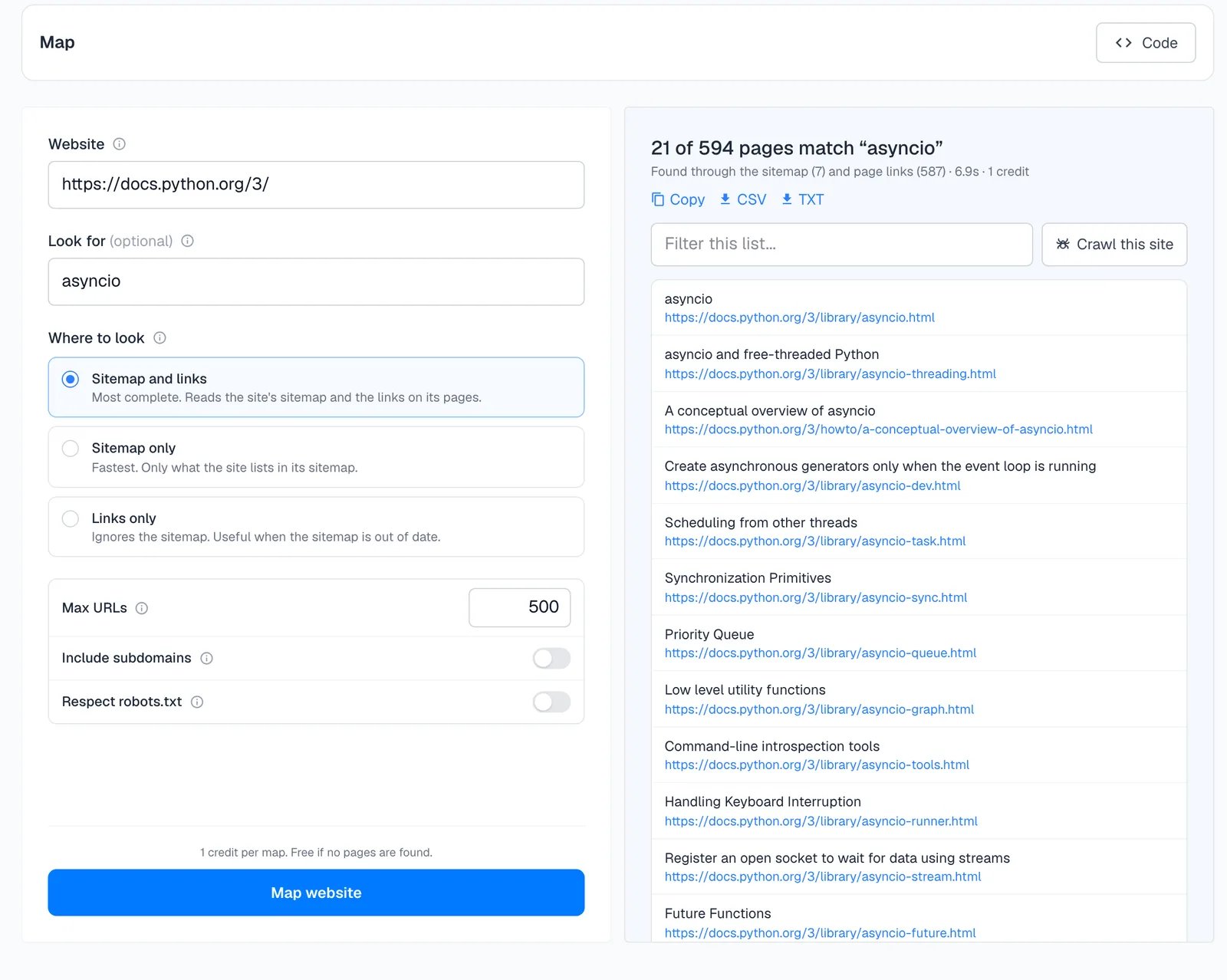
Next
Batch scrape
Scrape the URLs you found.
Crawl
Extract data from a section of the site.
Parse
Map a site’s PDFs, then parse them.
API reference
Every field and response.