> ## Documentation Index
> Fetch the complete documentation index at: https://docs.spidra.io/llms.txt
> Use this file to discover all available pages before exploring further.
# Quickstart
> Make your first scrape in under 2 minutes.
## Step 1: Create your account and get an API key
[Sign up](https://app.spidra.io/login) with your email, Google, or GitHub account.
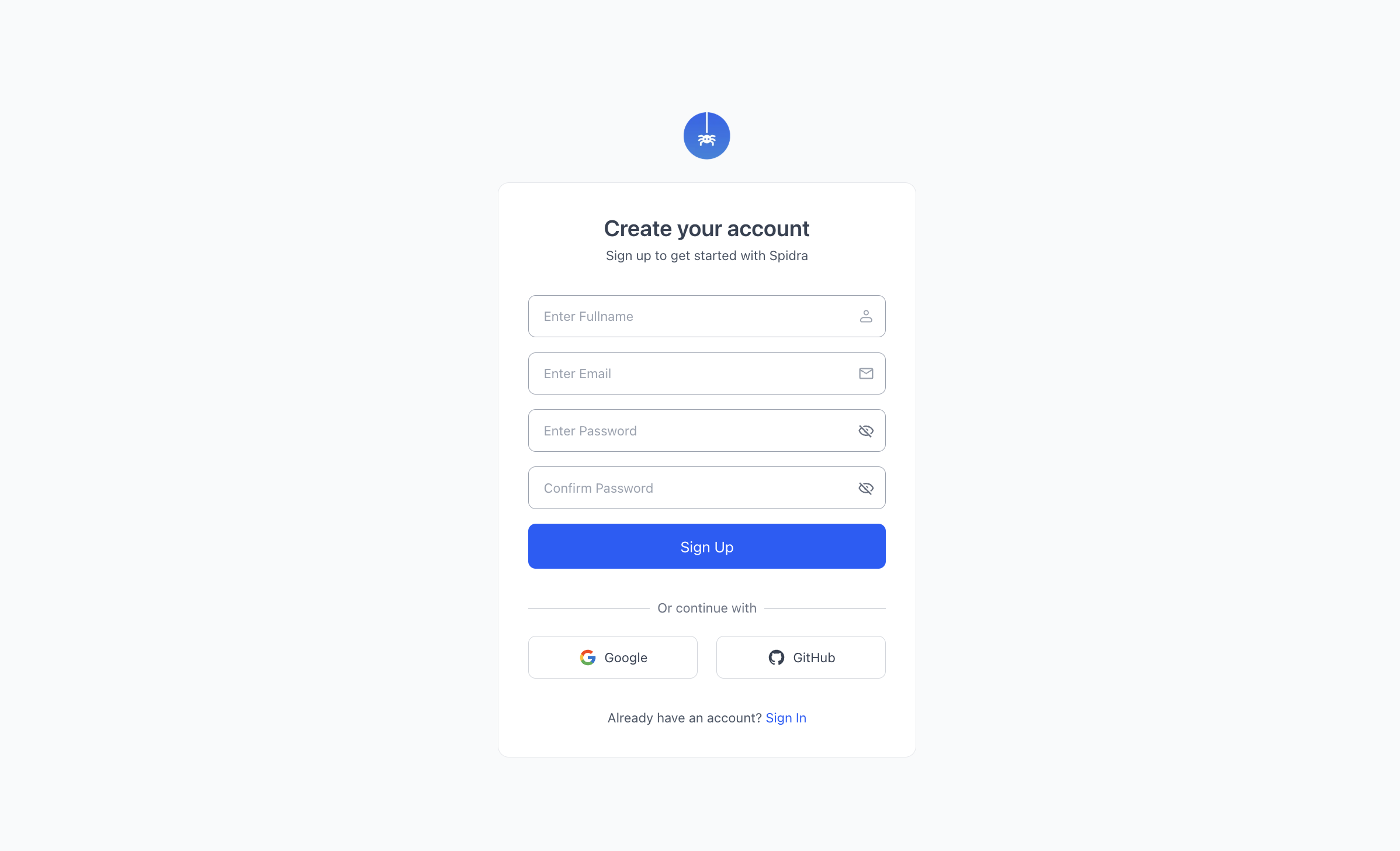 Once you're in, go to **Settings → API Keys** and create your first key.
Store your key in an environment variable called `SPIDRA_API_KEY`. Never commit it to source control.
You get 300 free credits when you sign up. No credit card needed. Now pick how you want to work.
## Step 2: Open the Playground and add your URL
Click **Playground** in the sidebar. Paste a URL into the Target URL field, then write what you want to extract in plain English.
Once you're in, go to **Settings → API Keys** and create your first key.
Store your key in an environment variable called `SPIDRA_API_KEY`. Never commit it to source control.
You get 300 free credits when you sign up. No credit card needed. Now pick how you want to work.
## Step 2: Open the Playground and add your URL
Click **Playground** in the sidebar. Paste a URL into the Target URL field, then write what you want to extract in plain English.
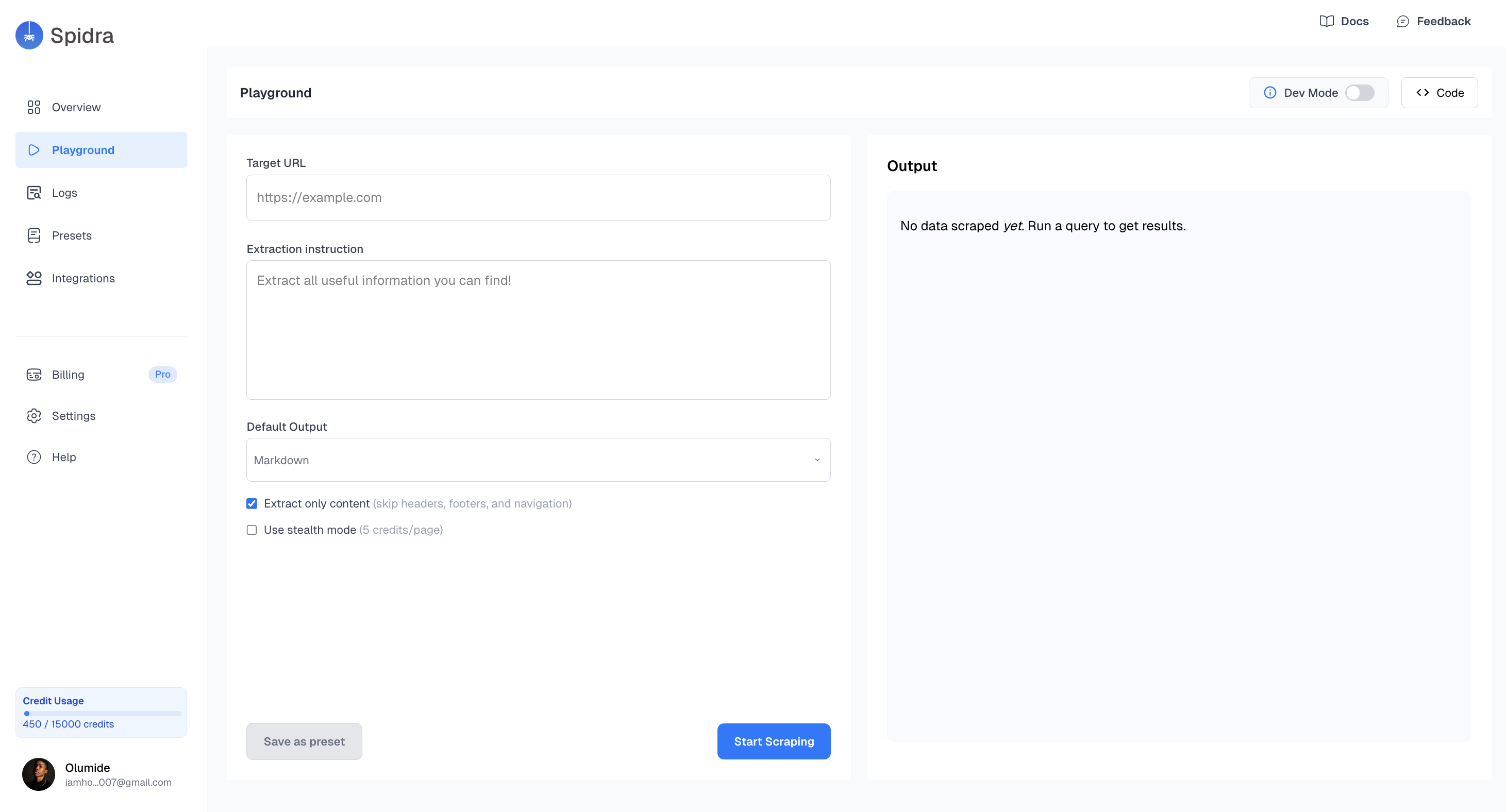 Try this to start:
```bash theme={null}
URL: https://remoteok.com/remote-react-jobs
Prompt: Extract all job listings on this page. For each job return the title,
company name, link to the post, and salary if shown. Return as JSON.
```
Try this to start:
```bash theme={null}
URL: https://remoteok.com/remote-react-jobs
Prompt: Extract all job listings on this page. For each job return the title,
company name, link to the post, and salary if shown. Return as JSON.
```
 ## Step 3: Set your options and run
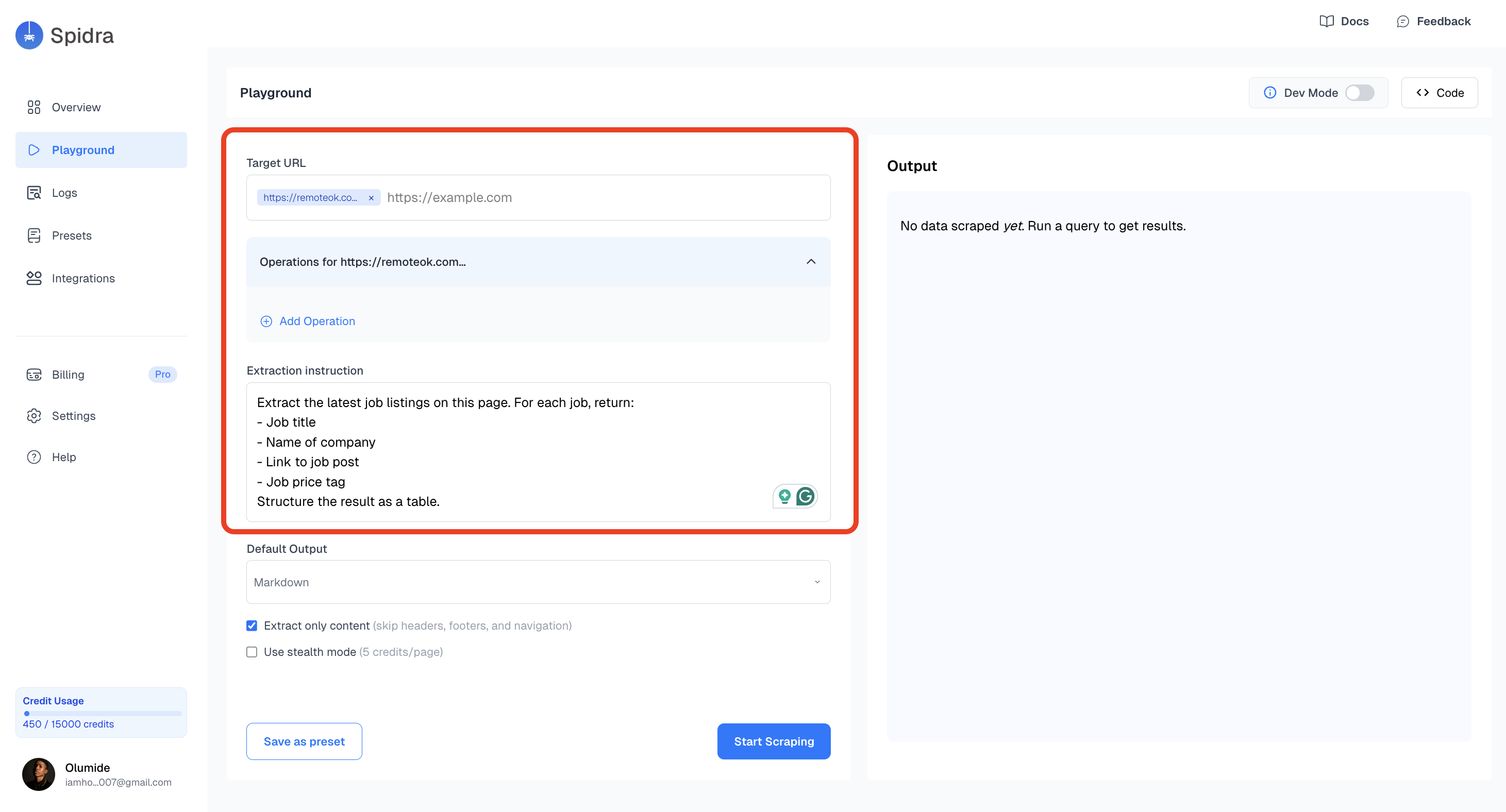
Choose **JSON** as your output format. Then toggle any options you need:
* **Extract only content** removes navbars, footers, and boilerplate so the AI focuses on what matters.
* **Stealth mode** routes the request through a residential proxy, useful on sites that block scrapers.
* **Screenshot** captures the page at scrape time, handy for debugging.
## Step 3: Set your options and run
Choose **JSON** as your output format. Then toggle any options you need:
* **Extract only content** removes navbars, footers, and boilerplate so the AI focuses on what matters.
* **Stealth mode** routes the request through a residential proxy, useful on sites that block scrapers.
* **Screenshot** captures the page at scrape time, handy for debugging.
 Hit **Start Scraping**. Spidra opens the page in a real browser, runs your prompt through the AI, and returns the extracted results on the right side of the screen.
 ## Step 4: Save it as a preset
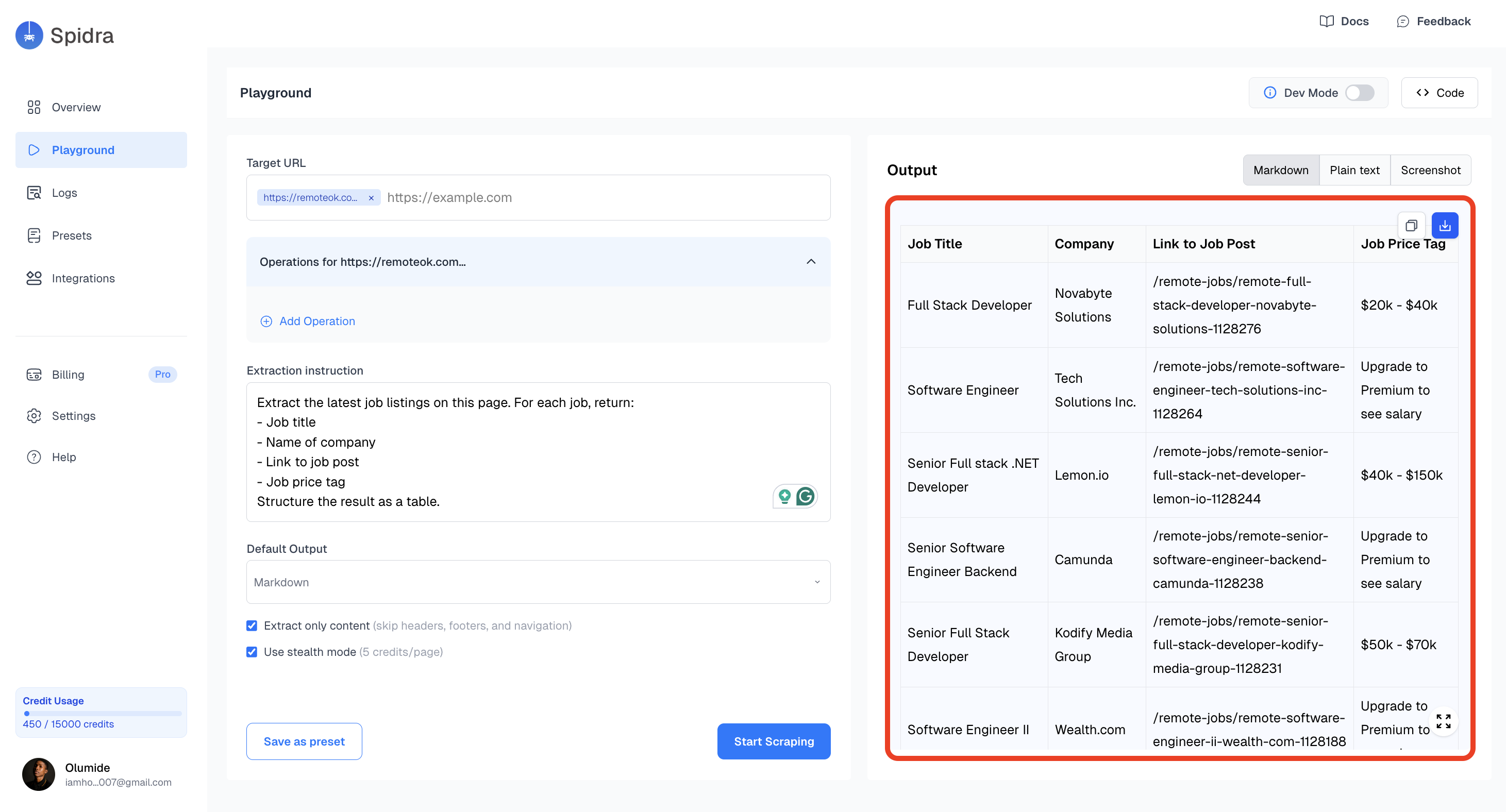
Click **Save as Preset** and give it a name. A preset stores your URL, prompt, and all settings so you can rerun it with one click, put it on a schedule, or connect it to Slack, Discord, or a webhook.
This is how recurring workflows are built in Spidra: preset, then integration, then schedule. Set it up once and the data flows automatically.
Click, scroll, and type before extracting. Works on any dynamic page.
Guarantee exact field names and types with a JSON schema.
Deliver data to Slack, Airtable, or webhooks automatically.
Find pre-built presets for common scraping jobs.
Prefer to watch? [Three-minute video walkthrough →](https://www.youtube.com/watch?v=mjewZ4qU9Mk)
## Step 2: Install an SDK
Pick the language your project uses. They all wrap the same API. If you'd rather go direct with curl or HTTP, skip this step — there's nothing to install.
```bash Node.js theme={null}
npm install spidra
```
```bash Python theme={null}
pip install spidra
```
```bash PHP theme={null}
composer require spidra/spidra-php
```
```bash Go theme={null}
go get github.com/spidra-io/spidra-go
```
```bash Ruby theme={null}
gem install spidra
```
```bash Elixir theme={null}
# Add to mix.exs deps, then:
mix deps.get
```
```bash .NET theme={null}
dotnet add package Spidra
```
```bash Swift theme={null}
# In Package.swift:
.package(url: "https://github.com/spidra-io/spidra-swift.git", from: "1.0.0")
```
```bash Java theme={null}
# Gradle:
implementation 'io.spidra:spidra-java-sdk:0.1.0'
# Maven:
# io.spidraspidra-java-sdk0.1.0
```
```bash Rust theme={null}
cargo add spidra
```
## Step 3: Make your first scrape
Spidra jobs are async. The `run()` method handles polling for you and returns when the job completes. If you need more control, use `submit()` to queue the job and `get()` to check status yourself.
```bash curl theme={null}
# 1. Submit the job
curl -X POST https://api.spidra.io/api/scrape \
-H "Authorization: Bearer $SPIDRA_API_KEY" \
-H "Content-Type: application/json" \
-d '{
"urls": [{"url": "https://remoteok.com/remote-react-jobs"}],
"prompt": "Extract all job listings. For each one return the title, company, and salary if shown.",
"output": "json"
}'
# Response: {"jobId": "abc123", "status": "queued"}
# 2. Poll until completed
curl https://api.spidra.io/api/scrape/abc123 \
-H "Authorization: Bearer $SPIDRA_API_KEY"
```
```typescript Node.js theme={null}
import { SpidraClient } from 'spidra';
const spidra = new SpidraClient({ apiKey: process.env.SPIDRA_API_KEY });
const job = await spidra.scrape.run({
urls: [{ url: 'https://remoteok.com/remote-react-jobs' }],
prompt: 'Extract all job listings. For each one return the title, company, and salary if shown.',
output: 'json',
});
console.log(job.result.content);
```
```python Python theme={null}
import asyncio
from spidra import AsyncSpidra, ScrapeParams, ScrapeUrl
async def main():
client = AsyncSpidra(api_key="spd_YOUR_API_KEY")
result = await client.scrape(ScrapeParams(
urls=[ScrapeUrl(url="https://remoteok.com/remote-react-jobs")],
prompt="Extract all job listings. For each one return the title, company, and salary if shown.",
output="json",
))
print(result.content)
asyncio.run(main())
```
```php PHP theme={null}
use Spidra\SpidraClient;
$spidra = new SpidraClient(getenv('SPIDRA_API_KEY'));
$job = $spidra->scrape->run([
'urls' => [['url' => 'https://remoteok.com/remote-react-jobs']],
'prompt' => 'Extract all job listings. For each one return the title, company, and salary if shown.',
'output' => 'json',
]);
print_r($job['content']);
```
```go Go theme={null}
package main
import (
"context"
"fmt"
"os"
spidra "github.com/spidra-io/spidra-go"
)
func main() {
client := spidra.New(os.Getenv("SPIDRA_API_KEY"))
job, err := client.Scrape.Run(context.Background(), spidra.ScrapeParams{
URLs: []spidra.ScrapeURL{{URL: "https://remoteok.com/remote-react-jobs"}},
Prompt: "Extract all job listings. For each one return the title, company, and salary if shown.",
Output: "json",
})
if err != nil {
panic(err)
}
fmt.Println(job.Result.Content)
}
```
```ruby Ruby theme={null}
require "spidra"
client = Spidra.new(ENV["SPIDRA_API_KEY"])
job = client.scrape.run(
urls: [{ url: "https://remoteok.com/remote-react-jobs" }],
prompt: "Extract all job listings. For each one return the title, company, and salary if shown.",
output: "json"
)
puts job["result"]["content"]
```
```elixir Elixir theme={null}
config = Spidra.Config.new(api_key: System.get_env("SPIDRA_API_KEY"))
{:ok, job} = Spidra.Scrape.run(config, %{
urls: [%{url: "https://remoteok.com/remote-react-jobs"}],
prompt: "Extract all job listings. For each one return the title, company, and salary if shown.",
output: "json"
})
IO.inspect(job["result"]["content"])
```
```csharp .NET theme={null}
using Spidra;
using Spidra.Types.Scrape;
var client = new SpidraClient(Environment.GetEnvironmentVariable("SPIDRA_API_KEY")!);
var job = await client.Scrape.RunAsync(new ScrapeParams
{
Urls = [new ScrapeUrl("https://remoteok.com/remote-react-jobs")],
Prompt = "Extract all job listings. For each one return the title, company, and salary if shown.",
Output = OutputFormat.Json
});
Console.WriteLine(job.Result.Content);
```
```swift Swift theme={null}
import Spidra
let spidra = SpidraClient(apiKey: ProcessInfo.processInfo.environment["SPIDRA_API_KEY"]!)
let params = ScrapeParams(
urls: [ScrapeUrl(url: "https://remoteok.com/remote-react-jobs")],
prompt: "Extract all job listings. For each one return the title, company, and salary if shown.",
output: "json"
)
let job = try await spidra.scrape.run(params)
print(job.result?.content?.value ?? "No data")
```
```java Java theme={null}
import io.spidra.sdk.SpidraClient;
import io.spidra.sdk.model.scrape.ScrapeParams;
import io.spidra.sdk.model.scrape.ScrapeJob;
SpidraClient client = new SpidraClient(System.getenv("SPIDRA_API_KEY"));
ScrapeParams params = ScrapeParams.builder()
.url("https://remoteok.com/remote-react-jobs")
.prompt("Extract all job listings. For each one return the title, company, and salary if shown.")
.outputFormat("json")
.build();
ScrapeJob job = client.scrape().run(params).join();
System.out.println(job.getResult().getContent());
```
```rust Rust theme={null}
use spidra::{SpidraClient, types::{ScrapeParams, OutputFormat}};
#[tokio::main]
async fn main() -> Result<(), spidra::SpidraError> {
let client = SpidraClient::new(std::env::var("SPIDRA_API_KEY").unwrap());
let mut params = ScrapeParams::new("https://remoteok.com/remote-react-jobs");
params.output_format = Some(OutputFormat::Json);
params.prompt = Some(
"Extract all job listings. For each one return the title, company, and salary if shown."
.to_string(),
);
let result = client.scrape().run(¶ms).await?;
println!("{}", result.content.unwrap_or_default());
Ok(())
}
```
The result comes back structured, ready to use:
```json theme={null}
{
"jobs": [
{
"title": "Senior React Engineer",
"company": "Acme Corp",
"salary": "$140,000 – $180,000",
"link": "https://remoteok.com/jobs/123456"
},
{
"title": "React Frontend Developer",
"company": "Startup Inc",
"salary": null,
"link": "https://remoteok.com/jobs/654321"
}
]
}
```
## Step 4: Follow links with forEach
The basic scrape reads a single page. `forEach` is what you use when you need to click into each item and pull detail from the destination page. This is where most scrapers fall short — Spidra handles it natively.
```bash curl theme={null}
curl -X POST https://api.spidra.io/api/scrape \
-H "Authorization: Bearer $SPIDRA_API_KEY" \
-H "Content-Type: application/json" \
-d '{
"urls": [
{
"url": "https://remoteok.com/remote-react-jobs",
"actions": [
{
"type": "forEach",
"observe": "Find all job listing rows on the page",
"mode": "navigate",
"maxItems": 10,
"waitAfterClick": 1000,
"itemPrompt": "Extract the full job description, required skills, and salary range. Return as JSON."
}
]
}
],
"prompt": "Return a clean JSON array of all jobs with their full details.",
"output": "json"
}'
```
```typescript Node.js theme={null}
const job = await spidra.scrape.run({
urls: [
{
url: 'https://remoteok.com/remote-react-jobs',
actions: [
{
type: 'forEach',
observe: 'Find all job listing rows on the page',
mode: 'navigate',
maxItems: 10,
waitAfterClick: 1000,
itemPrompt: 'Extract the full job description, required skills, and salary range. Return as JSON.',
},
],
},
],
prompt: 'Return a clean JSON array of all jobs with their full details.',
output: 'json',
});
```
```python Python theme={null}
from spidra import BrowserAction
result = await client.scrape(ScrapeParams(
urls=[
ScrapeUrl(
url="https://remoteok.com/remote-react-jobs",
actions=[
BrowserAction(
type="forEach",
observe="Find all job listing rows on the page",
mode="navigate",
max_items=10,
wait_after_click=1000,
item_prompt="Extract the full job description, required skills, and salary range. Return as JSON.",
),
],
),
],
prompt="Return a clean JSON array of all jobs with their full details.",
output="json",
))
```
```php PHP theme={null}
$job = $spidra->scrape->run([
'urls' => [
[
'url' => 'https://remoteok.com/remote-react-jobs',
'actions' => [
[
'type' => 'forEach',
'observe' => 'Find all job listing rows on the page',
'mode' => 'navigate',
'maxItems' => 10,
'waitAfterClick' => 1000,
'itemPrompt' => 'Extract the full job description, required skills, and salary range. Return as JSON.',
],
],
],
],
'prompt' => 'Return a clean JSON array of all jobs with their full details.',
'output' => 'json',
]);
```
```go Go theme={null}
job, err := client.Scrape.Run(context.Background(), spidra.ScrapeParams{
URLs: []spidra.ScrapeURL{
{
URL: "https://remoteok.com/remote-react-jobs",
Actions: []spidra.BrowserAction{
{
Type: "forEach",
Observe: "Find all job listing rows on the page",
Mode: "navigate",
MaxItems: 10,
WaitAfterClick: 1000,
ItemPrompt: "Extract the full job description, required skills, and salary range. Return as JSON.",
},
},
},
},
Prompt: "Return a clean JSON array of all jobs with their full details.",
Output: "json",
})
```
```ruby Ruby theme={null}
job = client.scrape.run(
urls: [
{
url: "https://remoteok.com/remote-react-jobs",
actions: [
{
type: "forEach",
observe: "Find all job listing rows on the page",
mode: "navigate",
maxItems: 10,
waitAfterClick: 1000,
itemPrompt: "Extract the full job description, required skills, and salary range. Return as JSON."
}
]
}
],
prompt: "Return a clean JSON array of all jobs with their full details.",
output: "json"
)
```
```elixir Elixir theme={null}
{:ok, job} = Spidra.Scrape.run(config, %{
urls: [
%{
url: "https://remoteok.com/remote-react-jobs",
actions: [
%{
type: "forEach",
observe: "Find all job listing rows on the page",
mode: "navigate",
max_items: 10,
wait_after_click: 1000,
item_prompt: "Extract the full job description, required skills, and salary range. Return as JSON."
}
]
}
],
prompt: "Return a clean JSON array of all jobs with their full details.",
output: "json"
})
```
```csharp .NET theme={null}
using Spidra;
using Spidra.Types.Scrape;
using System.Text.Json;
// Browser actions are sent as raw JSON alongside the URL.
// Build the request body as an anonymous object and post via RunAsync.
var job = await client.Scrape.RunAsync(new ScrapeParams
{
Urls = [new ScrapeUrl("https://remoteok.com/remote-react-jobs")],
Prompt = "Return a clean JSON array of all jobs with their full details.",
Output = OutputFormat.Json,
// forEach actions are included via the raw JSON body through
// the API — see the curl tab for the exact payload shape.
});
Console.WriteLine(job.Result.Content);
```
```swift Swift theme={null}
import Spidra
let forEachAction = BrowserAction.forEach(
observe: "Find all job listing rows on the page",
mode: "navigate",
captureSelector: nil,
maxItems: 10,
itemPrompt: "Extract the full job description, required skills, and salary range. Return as JSON.",
waitAfterClick: 1000,
actions: nil,
pagination: nil
)
let url = ScrapeUrl(
url: "https://remoteok.com/remote-react-jobs",
actions: [forEachAction]
)
let params = ScrapeParams(
urls: [url],
prompt: "Return a clean JSON array of all jobs with their full details.",
output: "json"
)
let job = try await spidra.scrape.run(params)
print(job.result?.content?.value ?? "No data")
```
```java Java theme={null}
import io.spidra.sdk.model.scrape.BrowserAction;
import java.util.List;
// The Java SDK BrowserAction builder supports type, selector, value,
// waitMs, and url. For forEach, pass the action type and supply
// the observe/mode/itemPrompt fields via the REST API (curl tab)
// or use a custom ObjectNode to extend the payload.
ScrapeParams params = ScrapeParams.builder()
.url("https://remoteok.com/remote-react-jobs")
.browserActions(List.of(
BrowserAction.builder()
.type("forEach")
.value("Find all job listing rows on the page")
.build()
))
.prompt("Return a clean JSON array of all jobs with their full details.")
.outputFormat("json")
.build();
ScrapeJob job = client.scrape().run(params).join();
System.out.println(job.getResult().getContent());
```
```rust Rust theme={null}
// The Rust SDK's typed BrowserAction enum does not yet include a
// forEach variant. Use the curl example above to send forEach
// actions directly via the REST API.
use spidra::{SpidraClient, types::{ScrapeParams, OutputFormat}};
#[tokio::main]
async fn main() -> Result<(), spidra::SpidraError> {
let client = SpidraClient::new(std::env::var("SPIDRA_API_KEY").unwrap());
let mut params = ScrapeParams::new("https://remoteok.com/remote-react-jobs");
params.output_format = Some(OutputFormat::Json);
params.prompt = Some("Return a clean JSON array of all jobs with their full details.".to_string());
let result = client.scrape().run(¶ms).await?;
println!("{}", result.content.unwrap_or_default());
Ok(())
}
```
Each matched element gets its own AI extraction pass. The results come back as a structured array. Read the full [browser actions guide](/features/actions) to see what else is possible.
The full forEach reference, plus click, scroll, type, and pagination.
Use a JSON schema to enforce exact field names and types on every response.
Submit up to 50 URLs in one request and process them all in parallel.
Every endpoint with request and response examples if you're going direct.
## Step 4: Save it as a preset
Click **Save as Preset** and give it a name. A preset stores your URL, prompt, and all settings so you can rerun it with one click, put it on a schedule, or connect it to Slack, Discord, or a webhook.
This is how recurring workflows are built in Spidra: preset, then integration, then schedule. Set it up once and the data flows automatically.
Click, scroll, and type before extracting. Works on any dynamic page.
Guarantee exact field names and types with a JSON schema.
Deliver data to Slack, Airtable, or webhooks automatically.
Find pre-built presets for common scraping jobs.
Prefer to watch? [Three-minute video walkthrough →](https://www.youtube.com/watch?v=mjewZ4qU9Mk)
## Step 2: Install an SDK
Pick the language your project uses. They all wrap the same API. If you'd rather go direct with curl or HTTP, skip this step — there's nothing to install.
```bash Node.js theme={null}
npm install spidra
```
```bash Python theme={null}
pip install spidra
```
```bash PHP theme={null}
composer require spidra/spidra-php
```
```bash Go theme={null}
go get github.com/spidra-io/spidra-go
```
```bash Ruby theme={null}
gem install spidra
```
```bash Elixir theme={null}
# Add to mix.exs deps, then:
mix deps.get
```
```bash .NET theme={null}
dotnet add package Spidra
```
```bash Swift theme={null}
# In Package.swift:
.package(url: "https://github.com/spidra-io/spidra-swift.git", from: "1.0.0")
```
```bash Java theme={null}
# Gradle:
implementation 'io.spidra:spidra-java-sdk:0.1.0'
# Maven:
# io.spidraspidra-java-sdk0.1.0
```
```bash Rust theme={null}
cargo add spidra
```
## Step 3: Make your first scrape
Spidra jobs are async. The `run()` method handles polling for you and returns when the job completes. If you need more control, use `submit()` to queue the job and `get()` to check status yourself.
```bash curl theme={null}
# 1. Submit the job
curl -X POST https://api.spidra.io/api/scrape \
-H "Authorization: Bearer $SPIDRA_API_KEY" \
-H "Content-Type: application/json" \
-d '{
"urls": [{"url": "https://remoteok.com/remote-react-jobs"}],
"prompt": "Extract all job listings. For each one return the title, company, and salary if shown.",
"output": "json"
}'
# Response: {"jobId": "abc123", "status": "queued"}
# 2. Poll until completed
curl https://api.spidra.io/api/scrape/abc123 \
-H "Authorization: Bearer $SPIDRA_API_KEY"
```
```typescript Node.js theme={null}
import { SpidraClient } from 'spidra';
const spidra = new SpidraClient({ apiKey: process.env.SPIDRA_API_KEY });
const job = await spidra.scrape.run({
urls: [{ url: 'https://remoteok.com/remote-react-jobs' }],
prompt: 'Extract all job listings. For each one return the title, company, and salary if shown.',
output: 'json',
});
console.log(job.result.content);
```
```python Python theme={null}
import asyncio
from spidra import AsyncSpidra, ScrapeParams, ScrapeUrl
async def main():
client = AsyncSpidra(api_key="spd_YOUR_API_KEY")
result = await client.scrape(ScrapeParams(
urls=[ScrapeUrl(url="https://remoteok.com/remote-react-jobs")],
prompt="Extract all job listings. For each one return the title, company, and salary if shown.",
output="json",
))
print(result.content)
asyncio.run(main())
```
```php PHP theme={null}
use Spidra\SpidraClient;
$spidra = new SpidraClient(getenv('SPIDRA_API_KEY'));
$job = $spidra->scrape->run([
'urls' => [['url' => 'https://remoteok.com/remote-react-jobs']],
'prompt' => 'Extract all job listings. For each one return the title, company, and salary if shown.',
'output' => 'json',
]);
print_r($job['content']);
```
```go Go theme={null}
package main
import (
"context"
"fmt"
"os"
spidra "github.com/spidra-io/spidra-go"
)
func main() {
client := spidra.New(os.Getenv("SPIDRA_API_KEY"))
job, err := client.Scrape.Run(context.Background(), spidra.ScrapeParams{
URLs: []spidra.ScrapeURL{{URL: "https://remoteok.com/remote-react-jobs"}},
Prompt: "Extract all job listings. For each one return the title, company, and salary if shown.",
Output: "json",
})
if err != nil {
panic(err)
}
fmt.Println(job.Result.Content)
}
```
```ruby Ruby theme={null}
require "spidra"
client = Spidra.new(ENV["SPIDRA_API_KEY"])
job = client.scrape.run(
urls: [{ url: "https://remoteok.com/remote-react-jobs" }],
prompt: "Extract all job listings. For each one return the title, company, and salary if shown.",
output: "json"
)
puts job["result"]["content"]
```
```elixir Elixir theme={null}
config = Spidra.Config.new(api_key: System.get_env("SPIDRA_API_KEY"))
{:ok, job} = Spidra.Scrape.run(config, %{
urls: [%{url: "https://remoteok.com/remote-react-jobs"}],
prompt: "Extract all job listings. For each one return the title, company, and salary if shown.",
output: "json"
})
IO.inspect(job["result"]["content"])
```
```csharp .NET theme={null}
using Spidra;
using Spidra.Types.Scrape;
var client = new SpidraClient(Environment.GetEnvironmentVariable("SPIDRA_API_KEY")!);
var job = await client.Scrape.RunAsync(new ScrapeParams
{
Urls = [new ScrapeUrl("https://remoteok.com/remote-react-jobs")],
Prompt = "Extract all job listings. For each one return the title, company, and salary if shown.",
Output = OutputFormat.Json
});
Console.WriteLine(job.Result.Content);
```
```swift Swift theme={null}
import Spidra
let spidra = SpidraClient(apiKey: ProcessInfo.processInfo.environment["SPIDRA_API_KEY"]!)
let params = ScrapeParams(
urls: [ScrapeUrl(url: "https://remoteok.com/remote-react-jobs")],
prompt: "Extract all job listings. For each one return the title, company, and salary if shown.",
output: "json"
)
let job = try await spidra.scrape.run(params)
print(job.result?.content?.value ?? "No data")
```
```java Java theme={null}
import io.spidra.sdk.SpidraClient;
import io.spidra.sdk.model.scrape.ScrapeParams;
import io.spidra.sdk.model.scrape.ScrapeJob;
SpidraClient client = new SpidraClient(System.getenv("SPIDRA_API_KEY"));
ScrapeParams params = ScrapeParams.builder()
.url("https://remoteok.com/remote-react-jobs")
.prompt("Extract all job listings. For each one return the title, company, and salary if shown.")
.outputFormat("json")
.build();
ScrapeJob job = client.scrape().run(params).join();
System.out.println(job.getResult().getContent());
```
```rust Rust theme={null}
use spidra::{SpidraClient, types::{ScrapeParams, OutputFormat}};
#[tokio::main]
async fn main() -> Result<(), spidra::SpidraError> {
let client = SpidraClient::new(std::env::var("SPIDRA_API_KEY").unwrap());
let mut params = ScrapeParams::new("https://remoteok.com/remote-react-jobs");
params.output_format = Some(OutputFormat::Json);
params.prompt = Some(
"Extract all job listings. For each one return the title, company, and salary if shown."
.to_string(),
);
let result = client.scrape().run(¶ms).await?;
println!("{}", result.content.unwrap_or_default());
Ok(())
}
```
The result comes back structured, ready to use:
```json theme={null}
{
"jobs": [
{
"title": "Senior React Engineer",
"company": "Acme Corp",
"salary": "$140,000 – $180,000",
"link": "https://remoteok.com/jobs/123456"
},
{
"title": "React Frontend Developer",
"company": "Startup Inc",
"salary": null,
"link": "https://remoteok.com/jobs/654321"
}
]
}
```
## Step 4: Follow links with forEach
The basic scrape reads a single page. `forEach` is what you use when you need to click into each item and pull detail from the destination page. This is where most scrapers fall short — Spidra handles it natively.
```bash curl theme={null}
curl -X POST https://api.spidra.io/api/scrape \
-H "Authorization: Bearer $SPIDRA_API_KEY" \
-H "Content-Type: application/json" \
-d '{
"urls": [
{
"url": "https://remoteok.com/remote-react-jobs",
"actions": [
{
"type": "forEach",
"observe": "Find all job listing rows on the page",
"mode": "navigate",
"maxItems": 10,
"waitAfterClick": 1000,
"itemPrompt": "Extract the full job description, required skills, and salary range. Return as JSON."
}
]
}
],
"prompt": "Return a clean JSON array of all jobs with their full details.",
"output": "json"
}'
```
```typescript Node.js theme={null}
const job = await spidra.scrape.run({
urls: [
{
url: 'https://remoteok.com/remote-react-jobs',
actions: [
{
type: 'forEach',
observe: 'Find all job listing rows on the page',
mode: 'navigate',
maxItems: 10,
waitAfterClick: 1000,
itemPrompt: 'Extract the full job description, required skills, and salary range. Return as JSON.',
},
],
},
],
prompt: 'Return a clean JSON array of all jobs with their full details.',
output: 'json',
});
```
```python Python theme={null}
from spidra import BrowserAction
result = await client.scrape(ScrapeParams(
urls=[
ScrapeUrl(
url="https://remoteok.com/remote-react-jobs",
actions=[
BrowserAction(
type="forEach",
observe="Find all job listing rows on the page",
mode="navigate",
max_items=10,
wait_after_click=1000,
item_prompt="Extract the full job description, required skills, and salary range. Return as JSON.",
),
],
),
],
prompt="Return a clean JSON array of all jobs with their full details.",
output="json",
))
```
```php PHP theme={null}
$job = $spidra->scrape->run([
'urls' => [
[
'url' => 'https://remoteok.com/remote-react-jobs',
'actions' => [
[
'type' => 'forEach',
'observe' => 'Find all job listing rows on the page',
'mode' => 'navigate',
'maxItems' => 10,
'waitAfterClick' => 1000,
'itemPrompt' => 'Extract the full job description, required skills, and salary range. Return as JSON.',
],
],
],
],
'prompt' => 'Return a clean JSON array of all jobs with their full details.',
'output' => 'json',
]);
```
```go Go theme={null}
job, err := client.Scrape.Run(context.Background(), spidra.ScrapeParams{
URLs: []spidra.ScrapeURL{
{
URL: "https://remoteok.com/remote-react-jobs",
Actions: []spidra.BrowserAction{
{
Type: "forEach",
Observe: "Find all job listing rows on the page",
Mode: "navigate",
MaxItems: 10,
WaitAfterClick: 1000,
ItemPrompt: "Extract the full job description, required skills, and salary range. Return as JSON.",
},
},
},
},
Prompt: "Return a clean JSON array of all jobs with their full details.",
Output: "json",
})
```
```ruby Ruby theme={null}
job = client.scrape.run(
urls: [
{
url: "https://remoteok.com/remote-react-jobs",
actions: [
{
type: "forEach",
observe: "Find all job listing rows on the page",
mode: "navigate",
maxItems: 10,
waitAfterClick: 1000,
itemPrompt: "Extract the full job description, required skills, and salary range. Return as JSON."
}
]
}
],
prompt: "Return a clean JSON array of all jobs with their full details.",
output: "json"
)
```
```elixir Elixir theme={null}
{:ok, job} = Spidra.Scrape.run(config, %{
urls: [
%{
url: "https://remoteok.com/remote-react-jobs",
actions: [
%{
type: "forEach",
observe: "Find all job listing rows on the page",
mode: "navigate",
max_items: 10,
wait_after_click: 1000,
item_prompt: "Extract the full job description, required skills, and salary range. Return as JSON."
}
]
}
],
prompt: "Return a clean JSON array of all jobs with their full details.",
output: "json"
})
```
```csharp .NET theme={null}
using Spidra;
using Spidra.Types.Scrape;
using System.Text.Json;
// Browser actions are sent as raw JSON alongside the URL.
// Build the request body as an anonymous object and post via RunAsync.
var job = await client.Scrape.RunAsync(new ScrapeParams
{
Urls = [new ScrapeUrl("https://remoteok.com/remote-react-jobs")],
Prompt = "Return a clean JSON array of all jobs with their full details.",
Output = OutputFormat.Json,
// forEach actions are included via the raw JSON body through
// the API — see the curl tab for the exact payload shape.
});
Console.WriteLine(job.Result.Content);
```
```swift Swift theme={null}
import Spidra
let forEachAction = BrowserAction.forEach(
observe: "Find all job listing rows on the page",
mode: "navigate",
captureSelector: nil,
maxItems: 10,
itemPrompt: "Extract the full job description, required skills, and salary range. Return as JSON.",
waitAfterClick: 1000,
actions: nil,
pagination: nil
)
let url = ScrapeUrl(
url: "https://remoteok.com/remote-react-jobs",
actions: [forEachAction]
)
let params = ScrapeParams(
urls: [url],
prompt: "Return a clean JSON array of all jobs with their full details.",
output: "json"
)
let job = try await spidra.scrape.run(params)
print(job.result?.content?.value ?? "No data")
```
```java Java theme={null}
import io.spidra.sdk.model.scrape.BrowserAction;
import java.util.List;
// The Java SDK BrowserAction builder supports type, selector, value,
// waitMs, and url. For forEach, pass the action type and supply
// the observe/mode/itemPrompt fields via the REST API (curl tab)
// or use a custom ObjectNode to extend the payload.
ScrapeParams params = ScrapeParams.builder()
.url("https://remoteok.com/remote-react-jobs")
.browserActions(List.of(
BrowserAction.builder()
.type("forEach")
.value("Find all job listing rows on the page")
.build()
))
.prompt("Return a clean JSON array of all jobs with their full details.")
.outputFormat("json")
.build();
ScrapeJob job = client.scrape().run(params).join();
System.out.println(job.getResult().getContent());
```
```rust Rust theme={null}
// The Rust SDK's typed BrowserAction enum does not yet include a
// forEach variant. Use the curl example above to send forEach
// actions directly via the REST API.
use spidra::{SpidraClient, types::{ScrapeParams, OutputFormat}};
#[tokio::main]
async fn main() -> Result<(), spidra::SpidraError> {
let client = SpidraClient::new(std::env::var("SPIDRA_API_KEY").unwrap());
let mut params = ScrapeParams::new("https://remoteok.com/remote-react-jobs");
params.output_format = Some(OutputFormat::Json);
params.prompt = Some("Return a clean JSON array of all jobs with their full details.".to_string());
let result = client.scrape().run(¶ms).await?;
println!("{}", result.content.unwrap_or_default());
Ok(())
}
```
Each matched element gets its own AI extraction pass. The results come back as a structured array. Read the full [browser actions guide](/features/actions) to see what else is possible.
The full forEach reference, plus click, scroll, type, and pagination.
Use a JSON schema to enforce exact field names and types on every response.
Submit up to 50 URLs in one request and process them all in parallel.
Every endpoint with request and response examples if you're going direct.