> ## Documentation Index
> Fetch the complete documentation index at: https://docs.spidra.io/llms.txt
> Use this file to discover all available pages before exploring further.
# Presets
> Learn how to save, manage, and reuse scraping configurations in Spidra using Presets
**Presets** is a powerful feature in Spidra that allows you save reusable scraping configurations such as your target URLs, operations, prompt, and output.
So you don’t have to start from scratch every time. They act as **scraping templates** for personal use or for sharing with the wider Spidra community via the Marketplace.
Each preset stores a full snapshot of your Playground configuration:
| Configuration | Description |
| --------------------- | ---------------------------------------------- |
| **Target URLs** | One or more URLs to scrape |
| **Operations** | Any browser-like actions (click, scroll, type) |
| **Prompt** | Your LLM prompt describing what to extract |
| **Advanced Settings** | Stealth mode, scroll to bottom, etc. |
| **Output Format** | JSON or Markdown |
| **Extracted Result** | The actual response output at time of save |
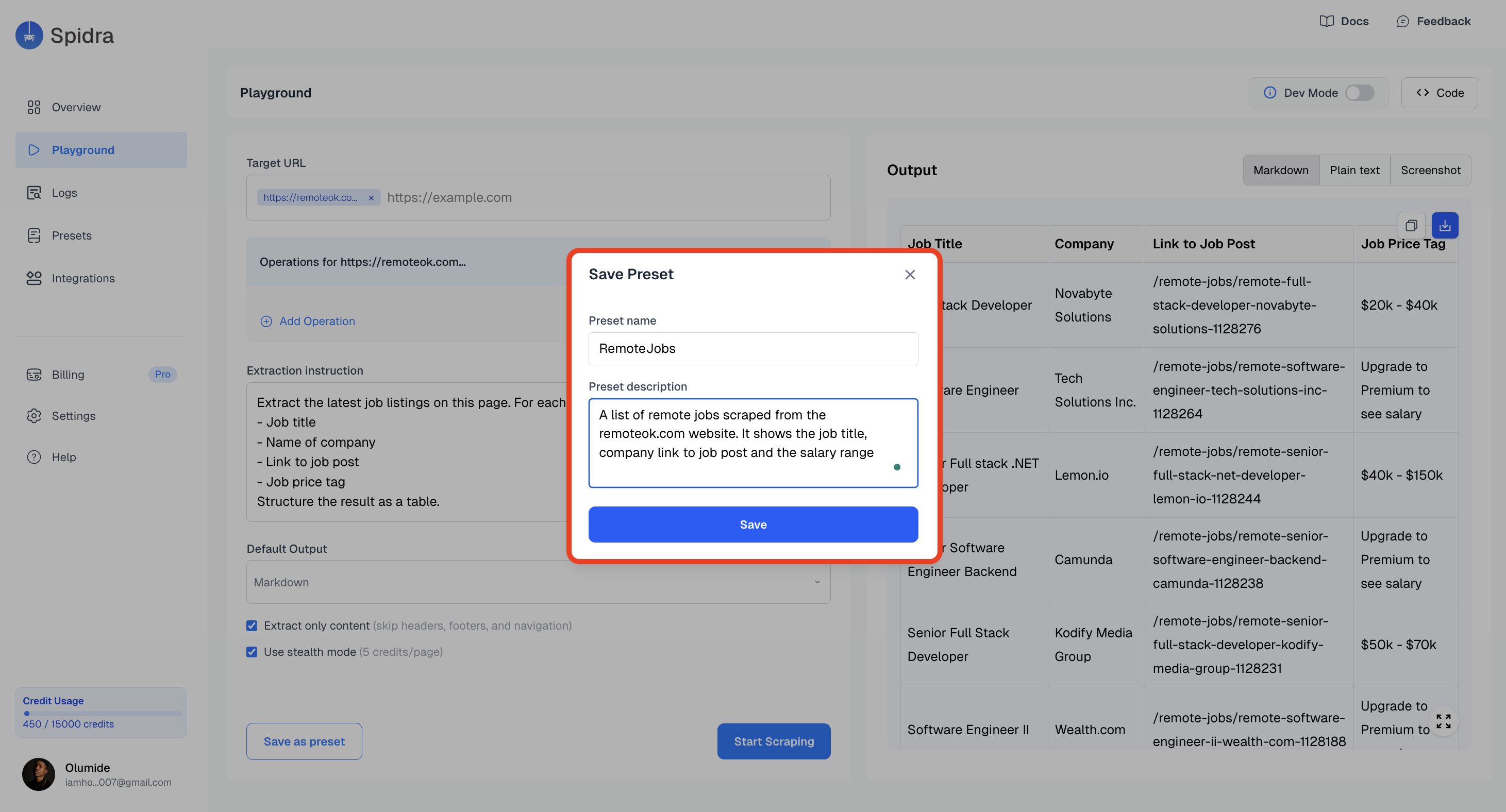
### Saving a Preset from Playground
In the Playground, instead of running the scrape immediately, you can hit: **Save Preset**. This captures everything from your current session and stores it.
 ### Viewing Your Presets
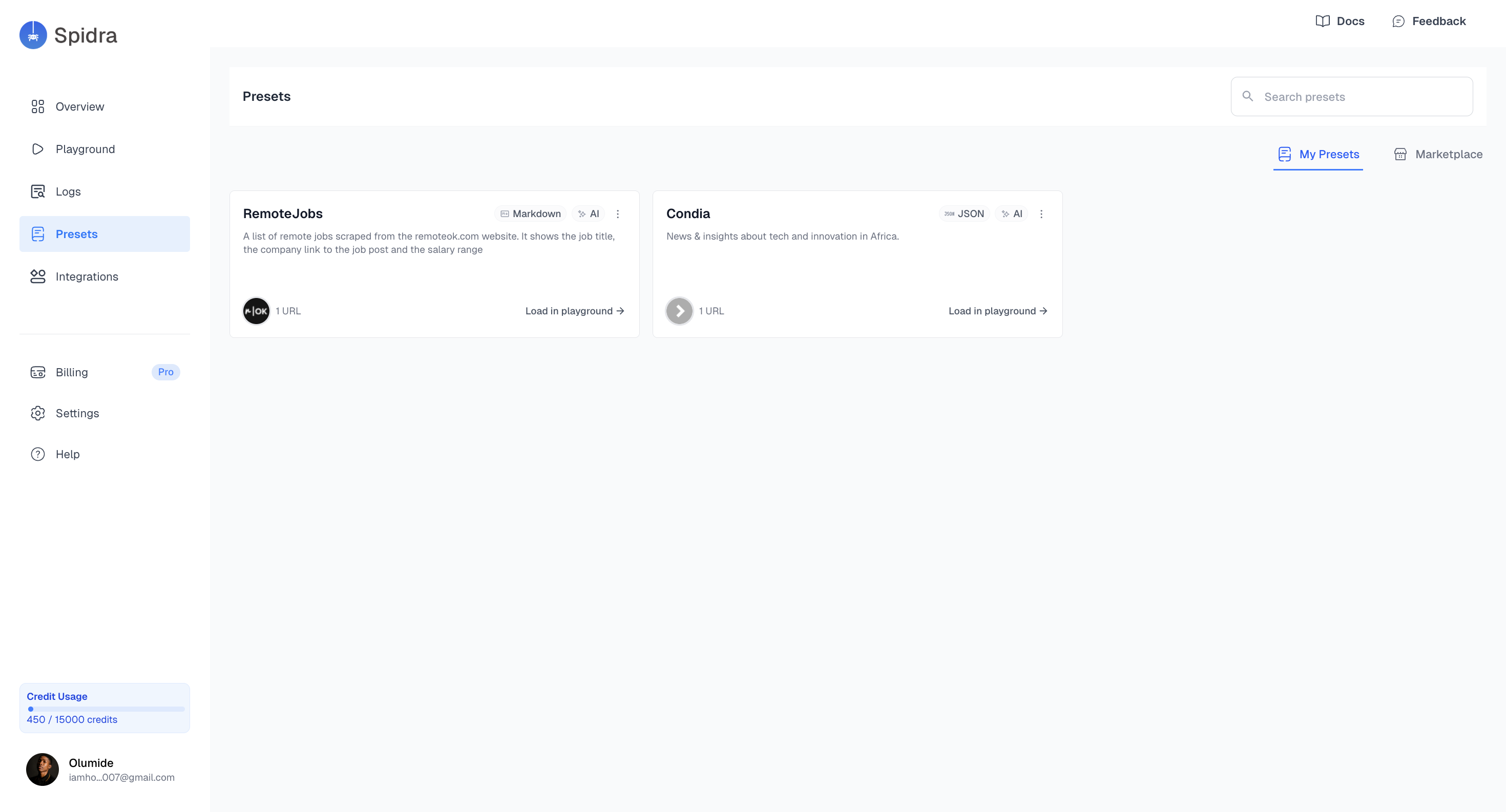
Presets appear in the **Presets tab** as a list of cards. Each card contains:
* Preset Name
* Short Description
* Tag or icon (if published)
* Quick actions (edit, integration, delete)
* A **load in playground** button for you to rerun the preset the playground.
### Viewing Your Presets
Presets appear in the **Presets tab** as a list of cards. Each card contains:
* Preset Name
* Short Description
* Tag or icon (if published)
* Quick actions (edit, integration, delete)
* A **load in playground** button for you to rerun the preset the playground.