> ## Documentation Index
> Fetch the complete documentation index at: https://docs.spidra.io/llms.txt
> Use this file to discover all available pages before exploring further.
# Scrape
> Learn how to use the Spidra Playground to run scraping tasks, configure prompts, choose output formats, and export data or SDK-ready code
The **Spidra Playground** is your interactive hub for creating and running scraping jobs using natural language. It's built for flexibility with no coding knowledge required.
Whether you're scraping one or multiple URLS, the Playground gives you everything you need in a single, real-time interface.
***
### Target URL(s)
The first field allows you to add one or more URLs you want to scrape.
 ### Operations
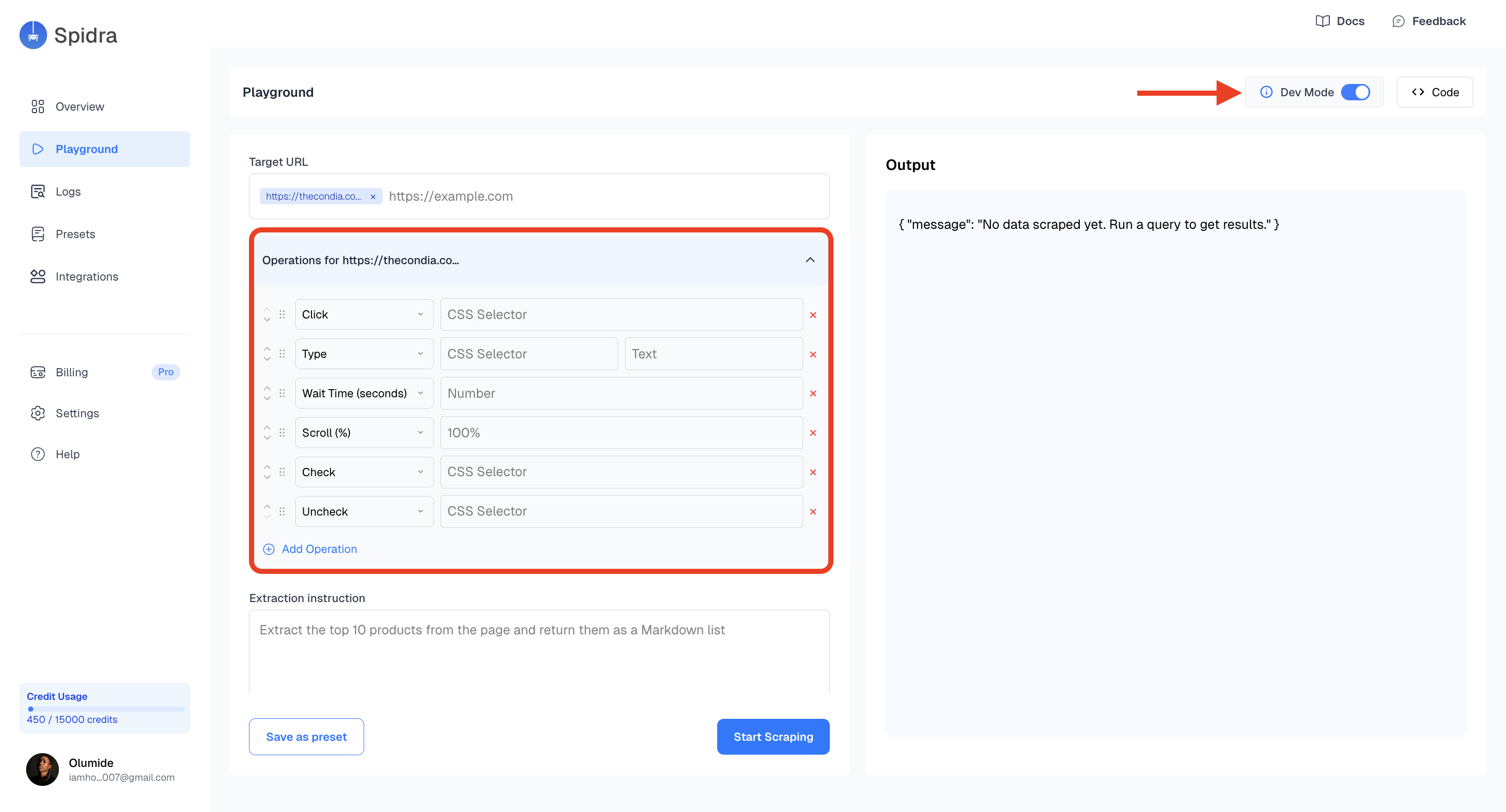
Operations let you interact with the page before extracting content — clicking buttons, typing into fields, scrolling, or iterating over elements.
Each URL has a **selector mode toggle** (CSS or AI):
* **AI mode** (default) — Describe elements in plain English. For example: `Click the "Load More" button` or `Type 'laptop' into the search field`.
* **CSS mode** — Use precise CSS or XPath selectors. For example: `#submit-button` or `//div[@class='productName']`.
This is great for advanced users who want precise control or are debugging tricky pages.
### Operations
Operations let you interact with the page before extracting content — clicking buttons, typing into fields, scrolling, or iterating over elements.
Each URL has a **selector mode toggle** (CSS or AI):
* **AI mode** (default) — Describe elements in plain English. For example: `Click the "Load More" button` or `Type 'laptop' into the search field`.
* **CSS mode** — Use precise CSS or XPath selectors. For example: `#submit-button` or `//div[@class='productName']`.
This is great for advanced users who want precise control or are debugging tricky pages.
 ### Extraction Prompt
This is the core LLM-powered field which describes what data you want extracted in natural language. For example:
* *"Get all product titles and prices."*
* *"Extract all blog post titles and their publish dates."*
### Extraction Prompt
This is the core LLM-powered field which describes what data you want extracted in natural language. For example:
* *"Get all product titles and prices."*
* *"Extract all blog post titles and their publish dates."*
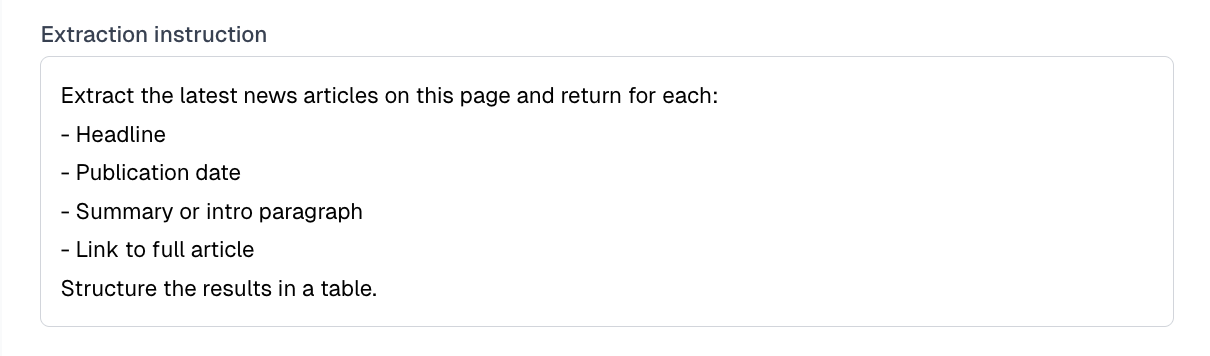 The clearer your prompt, the better your results. Be specific about what fields to extract.
### Output Format
Select your preferred output format from the dropdown:
| Format | Description |
| -------------- | ----------------------------------------- |
| **Markdown** | Formatted text with headings and lists |
| **Plain text** | Raw unformatted text |
| **JSON** | Structured data for programmatic use |
| **Table** | Tabular format for spreadsheet-style data |
The clearer your prompt, the better your results. Be specific about what fields to extract.
### Output Format
Select your preferred output format from the dropdown:
| Format | Description |
| -------------- | ----------------------------------------- |
| **Markdown** | Formatted text with headings and lists |
| **Plain text** | Raw unformatted text |
| **JSON** | Structured data for programmatic use |
| **Table** | Tabular format for spreadsheet-style data |
 ### SDK Integration
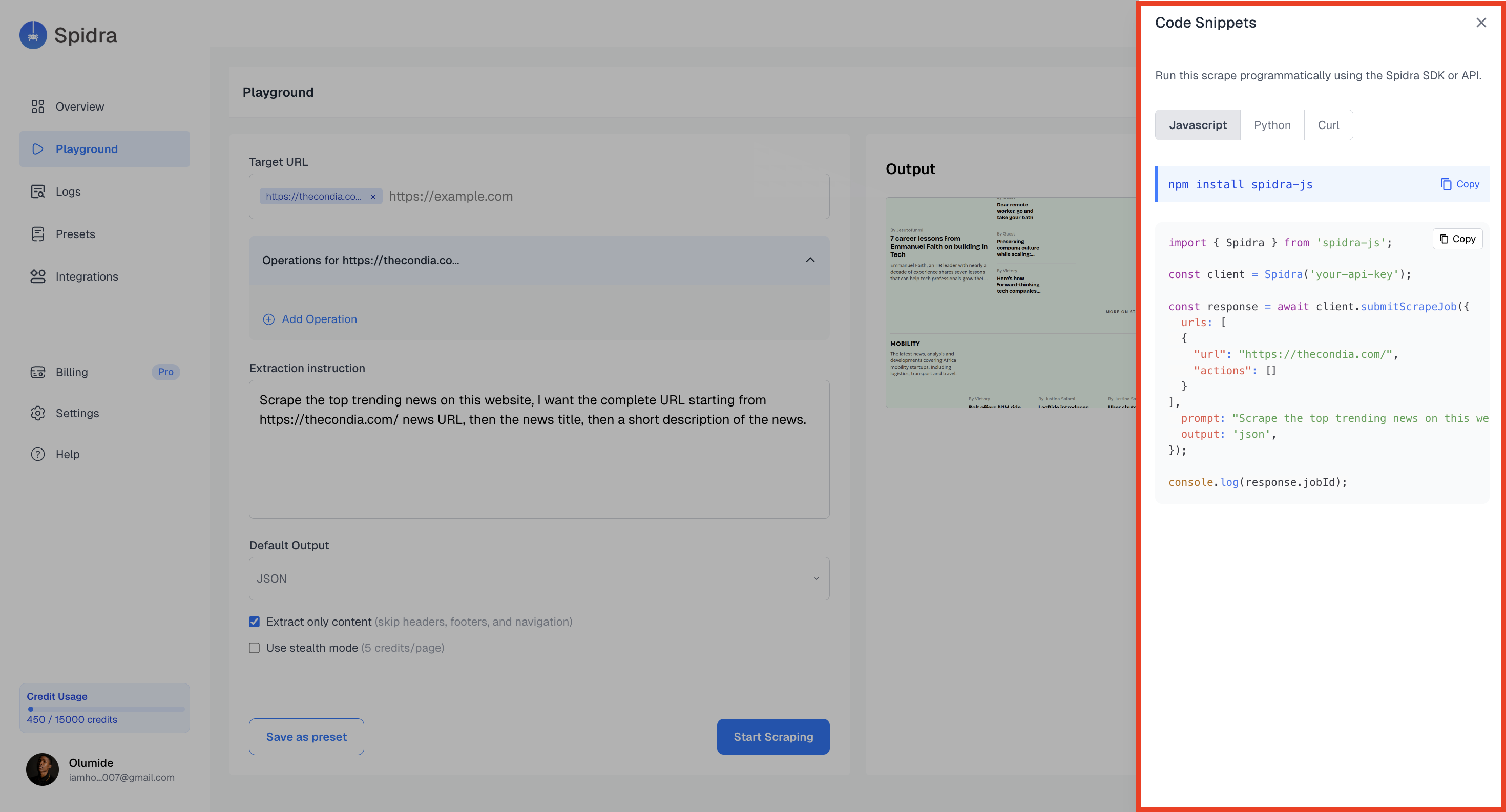
Above the output panel, click on the **code** button and you’ll find a dynamically generated API code snippet. It shows you the SDK code in: `Python` `JavaScript` and `CURL`.
### SDK Integration
Above the output panel, click on the **code** button and you’ll find a dynamically generated API code snippet. It shows you the SDK code in: `Python` `JavaScript` and `CURL`.
 ### Advanced Configuration
The options available include:
✅ **Stealth Mode (Proxy)** — Enables proxy rotation and anti-bot protection. When turned on, a country selector appears — pick a specific country, choose **Europe Mix** to rotate across all EU member states, or leave it on **Worldwide** for no preference.
✅ **Screenshot** — Captures a screenshot of each page after scraping.
✅ **Full Page Screenshot** — Captures the entire scrollable page instead of just the viewport.
✅ **Extract Content Only** — Removes headers, footers, and navigation from the output.
✅ **Scroll to Bottom** — Auto-scrolls page to load dynamic content.
These checkboxes can be toggled per scrape.
### Advanced Configuration
The options available include:
✅ **Stealth Mode (Proxy)** — Enables proxy rotation and anti-bot protection. When turned on, a country selector appears — pick a specific country, choose **Europe Mix** to rotate across all EU member states, or leave it on **Worldwide** for no preference.
✅ **Screenshot** — Captures a screenshot of each page after scraping.
✅ **Full Page Screenshot** — Captures the entire scrollable page instead of just the viewport.
✅ **Extract Content Only** — Removes headers, footers, and navigation from the output.
✅ **Scroll to Bottom** — Auto-scrolls page to load dynamic content.
These checkboxes can be toggled per scrape.
 ## Save or Scrape
* **Save Preset** : Stores your current configuration (URL, actions, prompt, config) into the Presets tab.
* **Start Scrape** : Runs the scrape job immediately and shows live output in the Output Section.
## Save or Scrape
* **Save Preset** : Stores your current configuration (URL, actions, prompt, config) into the Presets tab.
* **Start Scrape** : Runs the scrape job immediately and shows live output in the Output Section.